News & updates
 CLZ Alwin here, with the CLZ Newsletter for April 2026.
This month, one big and powerful update for all 5 Web editions: the ability to easily filter your collection by clicking hyperlinks in your item details panel. E.g. click a Genre name and instantly find all your collectibles in that genre.
And judging from early feedback, you all are absolutely loving it! 🙂 (some feedback examples below).
One other release this month: a small “customizability” update for the CLZ Games mobile app, you can now add your own YouTube trailer links!
Plus a CLZ Core for Comics improvement related to Vampirella comics, requiring a simple Update from Core action. Instructions below.
Also, some nice “mentions” online this month, for both CLZ Movies and CLZ Games, which has caused a huge flow of new sign ups, nice! Read about them below.
What about future releases? What is cooking, what is coming up soon (or later)?
The main things the CLZ team is working on at the moment are the “Add more images” feature for Web (ETA next week!!) and the Custom Fields for the mobile apps (ETA: within 2 months?). But we have some other “secret” projects too, will tell you more about those later.
The newsletter topics today:
- CLZ Web: Easily filter your collection by clicking hyperlinks
- CLZ Games mobile app: Add your own YouTube trailer links
- For collectors of Vampirella comics: Core Update required!
- Tracy Letts mentions CLZ Movies on the Blank Check podcast!
- Metal Jesus Rocks uses CLZ Games while shopping!
- What’s cooking?
- CLZ Web: Add more images to your entries (next to front and back)
- CLZ mobile apps: Create (and Sync!!) your own Custom Fields
CLZ Web: Easily filter your collection by clicking hyperlinks
Something we regularly heard from our users: “why can’t we just click on an Actor name or Genre name in the details and then see all items with that Genre or all movies with that Actor?”
That definitely makes sense, and it makes sense for other fields too! So two weeks ago, we released a new feature for the CLZ Web software which makes it much easier to move through your collection straight from the details panel: Browsing and deepdiving into your collection just became a lot more fun!
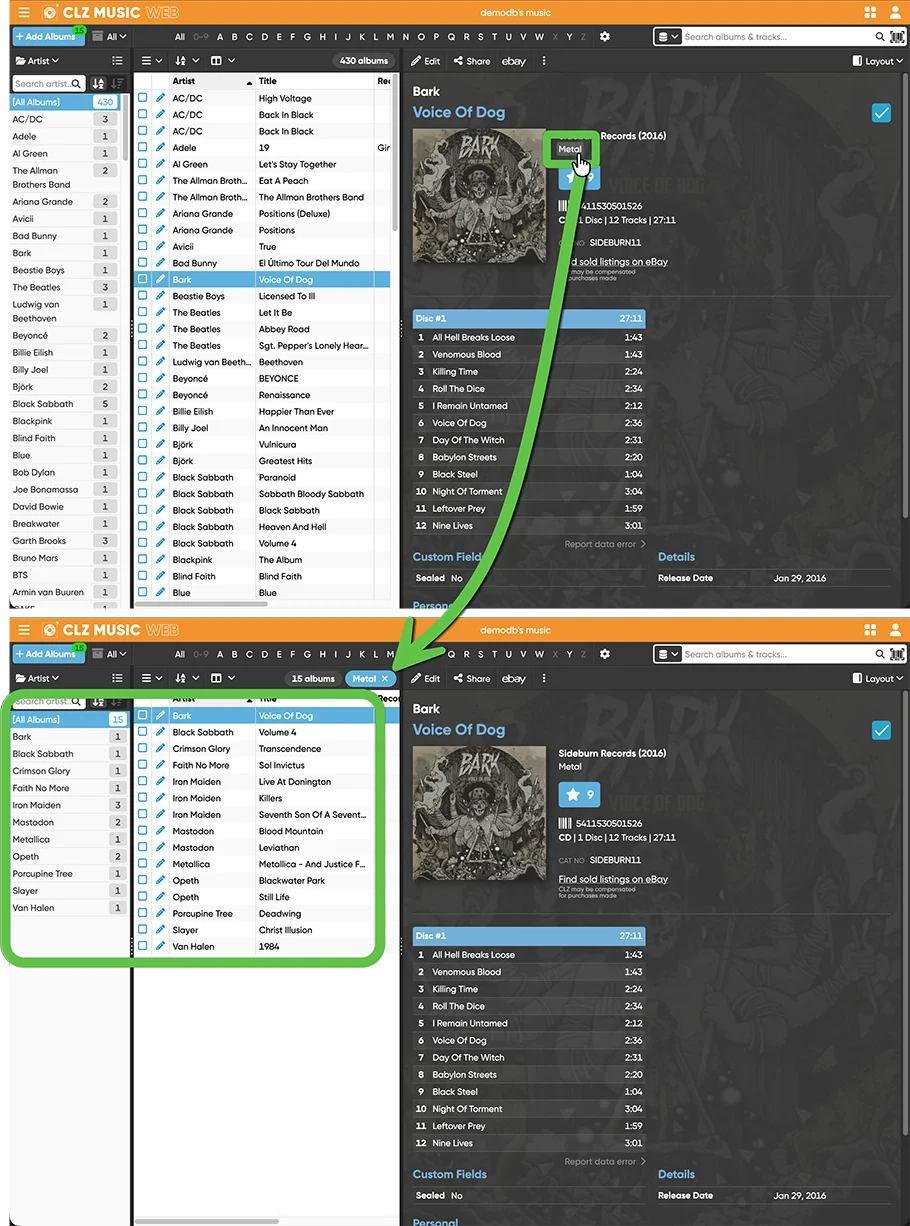
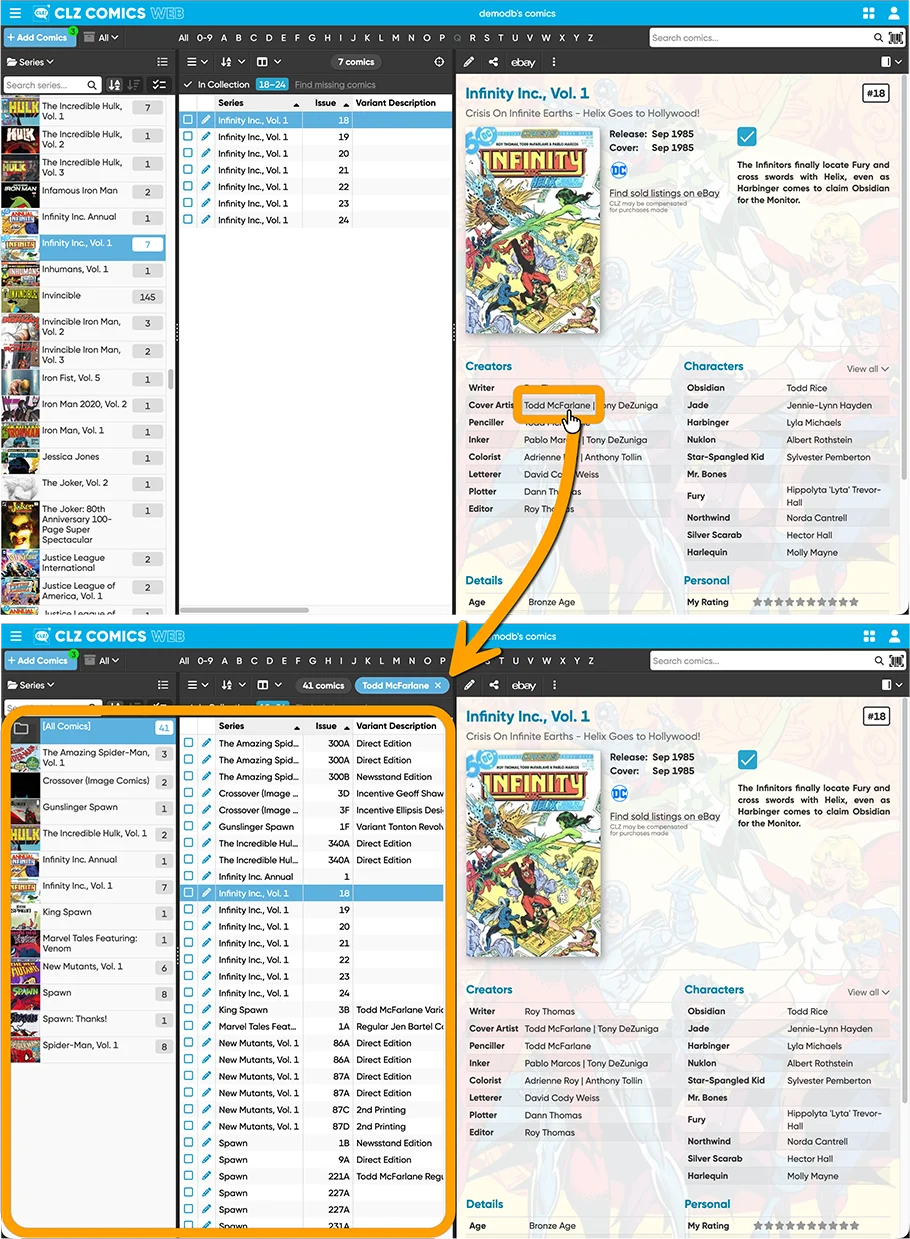
While viewing a collectible, you can now click on many of the fields in the details panel to instantly find all items in your database that match that same author, actor, series, Location, Storage Box, Creator, Genre, etc… and more.
For example, click on “Science Fiction”, and CLZ Web will immediately show all your sci-fi items!
The blue “pill” above your item list shows exactly which filter is active. Want to go back to your full list? Just click the X in the pill to remove the filter.
For screenshots and a full list of supported fields per app, go here:
CLZ Movies Web / CLZ Games Web / CLZ Comics Web / CLZ Music Web / CLZ Books Web
Some early feedback on the filter links from CLZ Web users:
David Rosen:
“OMG! Your latest update to Movies Web is a genuine game changer. Being able to do a simple click and have the list pop up instantly is amazing! This is great! Thank you, thank you!”
Daniel Wiercioch:
“What a great feature! I love it. I continue to be impressed by how much you and your team periodically enhance the capabilities of CLZ. I’ve wanted this capability for a long time. Thank you so much!”
Larry Stecklow:
“Just wanted to say GREAT JOB on providing this filter. Please thank your team!!! So glad I switched from DVD Profiler!”
Bryan Greiner:
“You’re trying really hard to get me away from my desktop version 🙂 ”
David Clare:
“Wow! This is absolutely brilliant – I’d seen it in action before I got the email cos I saw the hover selection on fields I’d not seen before…….and YES! clicking on it worked. It’s awesome!”
Jesse Jazz:
“Just wanted to say this new clickable hyperlinks update is awesome. A big thank you to the CLZ team once again!!!!
CLZ Games mobile app: Add your own YouTube trailer links
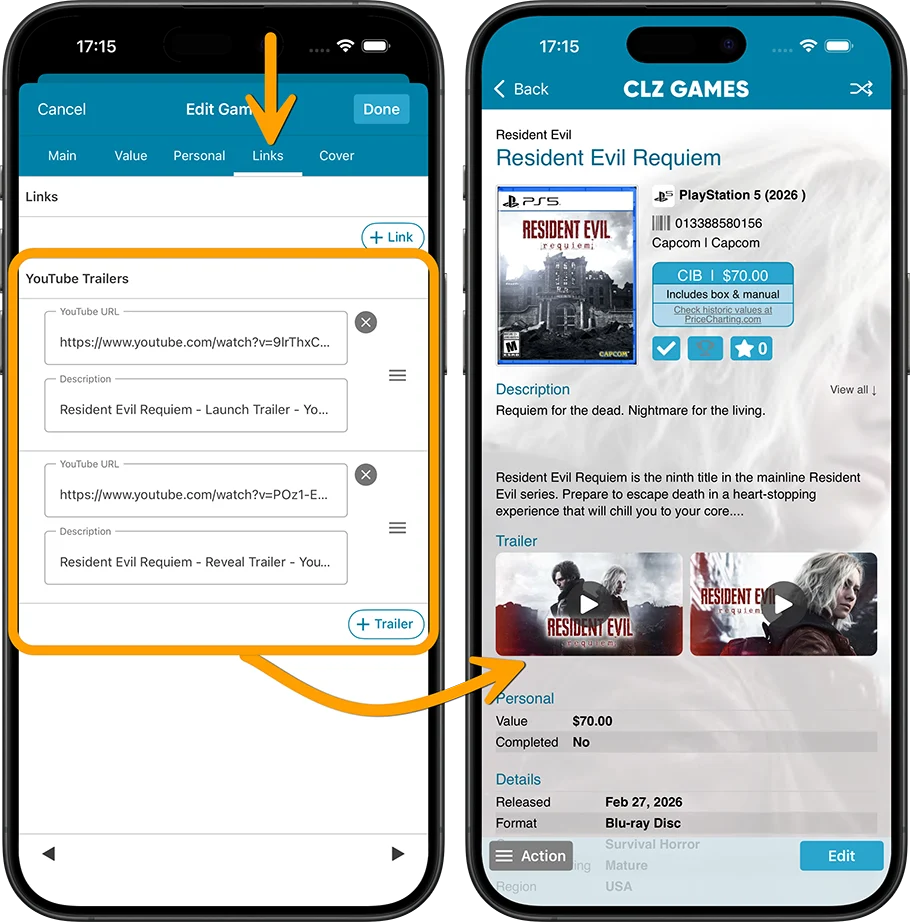
A handy update for CLZ Games, with even more customizability! YouTube trailers for games typically come straight from our Core database, but now you can replace the standard Core YouTube trailer with a trailer of your own choice, or add one if we Core didn’t provide one.
Just paste any YouTube URL into your the YouTube trailer link section (Edit Game, then go to the Links tab) and CLZ Games automatically grabs the thumbnail image and video description for you.
Add as many as you like per game, then drag them into your preferred order.
For collectors of Vampirella comics: Core Update required
Quick note for all Vampirella collectors:
We have changed the series titles for the main Vampirella series in Core, to better match their indicia:
- “Vampirella, Vol. 1” was renamed to “Vampirella, Vol. 1 (Warren)”
- “Vampirella, Vol. 2” was renamed to “Vampirella, Vol. 1 (Harris)”
- “Vampirella, Vol. 3” was renamed to “Vampirella, Vol. 2 (Harris)”
- “Vampirella, Vol. 4” was renamed to “Vampirella, Vol. 3 (Dynamite)”
- “Vampirella, Vol. 5” was renamed to “Vampirella, Vol. 4 (Dynamite)”
- “Vampirella, Vol. 6” was renamed to “Vampirella, Vol. 5 (Dynamite)”
- “Vampirella, Vol. 7” was renamed to “Vampirella, Vol. 6 (Dynamite)”
- “Vampirella, Vol. 8” was renamed to “Vampirella, Vol. 7 (Dynamite)”
- “Vampirella, Vol. 9” was renamed to “Vampirella, Vol. 8 (Dynamite)”
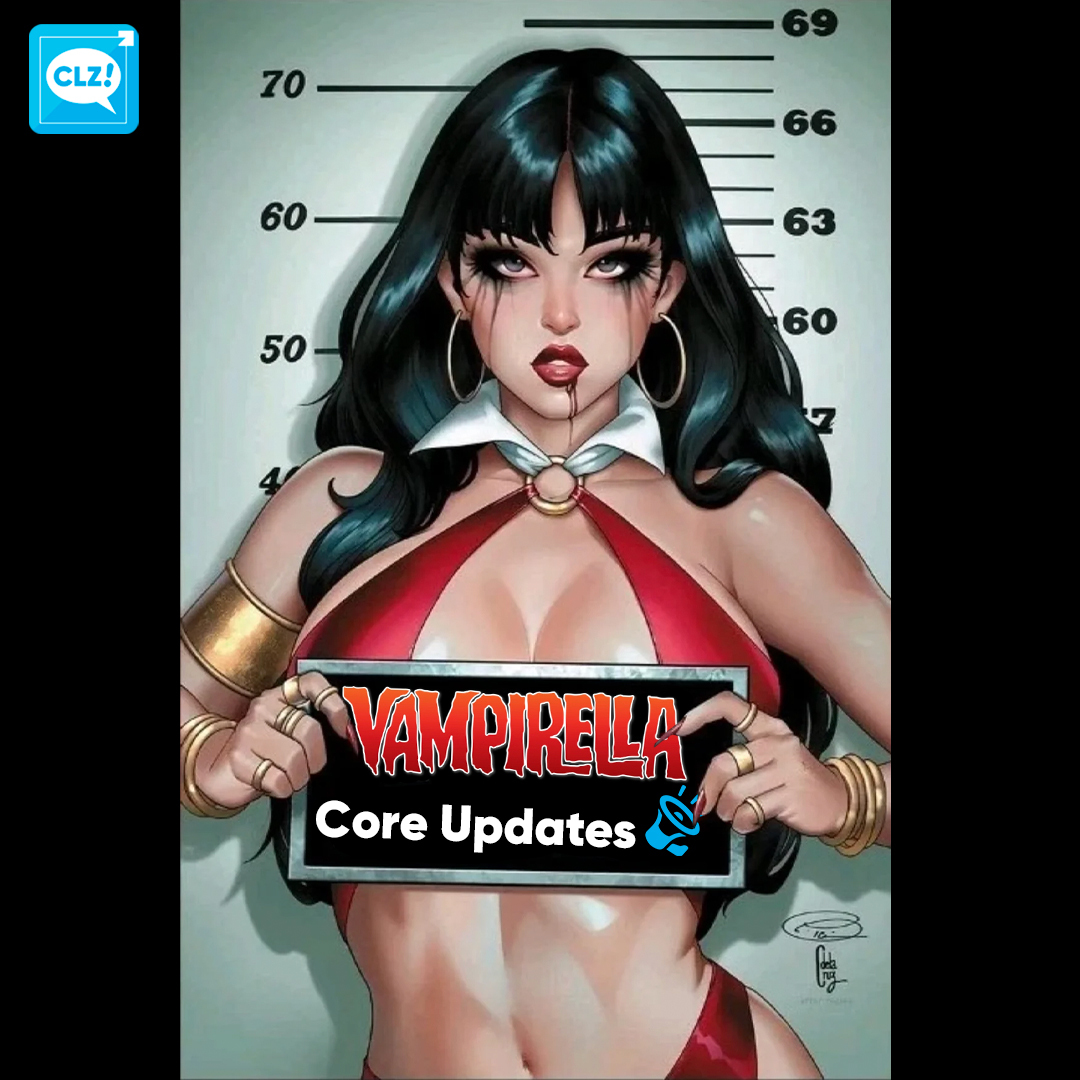
To update your local entries, use Update from Core with the Series field set to REPLACE. Here’s how:
(instructions are for the mobile app, but it’s very similar on Web or desktop)
- In your Series list, use the search bar at the top to search for “vampirella”
- Tap and hold on the first Vampirella series to select it
- Now tap the “All” button on the bottom left to select all series
- Tap the Action button on the bottom right and choose “Update from Core”
- In the Settings screen, set the Series field to “Replace”
- Finally, tap “Update” on the bottom right
That’s it, you are now up-to-date with the new naming!
Tracy Letts mentions CLZ Movies on the Blank Check podcast!
A few weeks ago, we were thrilled to hear CLZ Movies mentioned by actor and playwright Tracy Letts on the latest episode of Blank Check with Griffin & David called The Year of Living Dangerously with Tracy Letts.
Tracy talks about owning movies on disc, so it’s especially nice to hear that he uses CLZ Movies to keep his collection neatly organized!
Tip: You can listen to The Year of Living Dangerously with Tracy Letts right here.
Or check out Blank Check with Griffin & David on your favorite Podcast player app!
Metal Jesus Rocks uses CLZ Games while shopping!
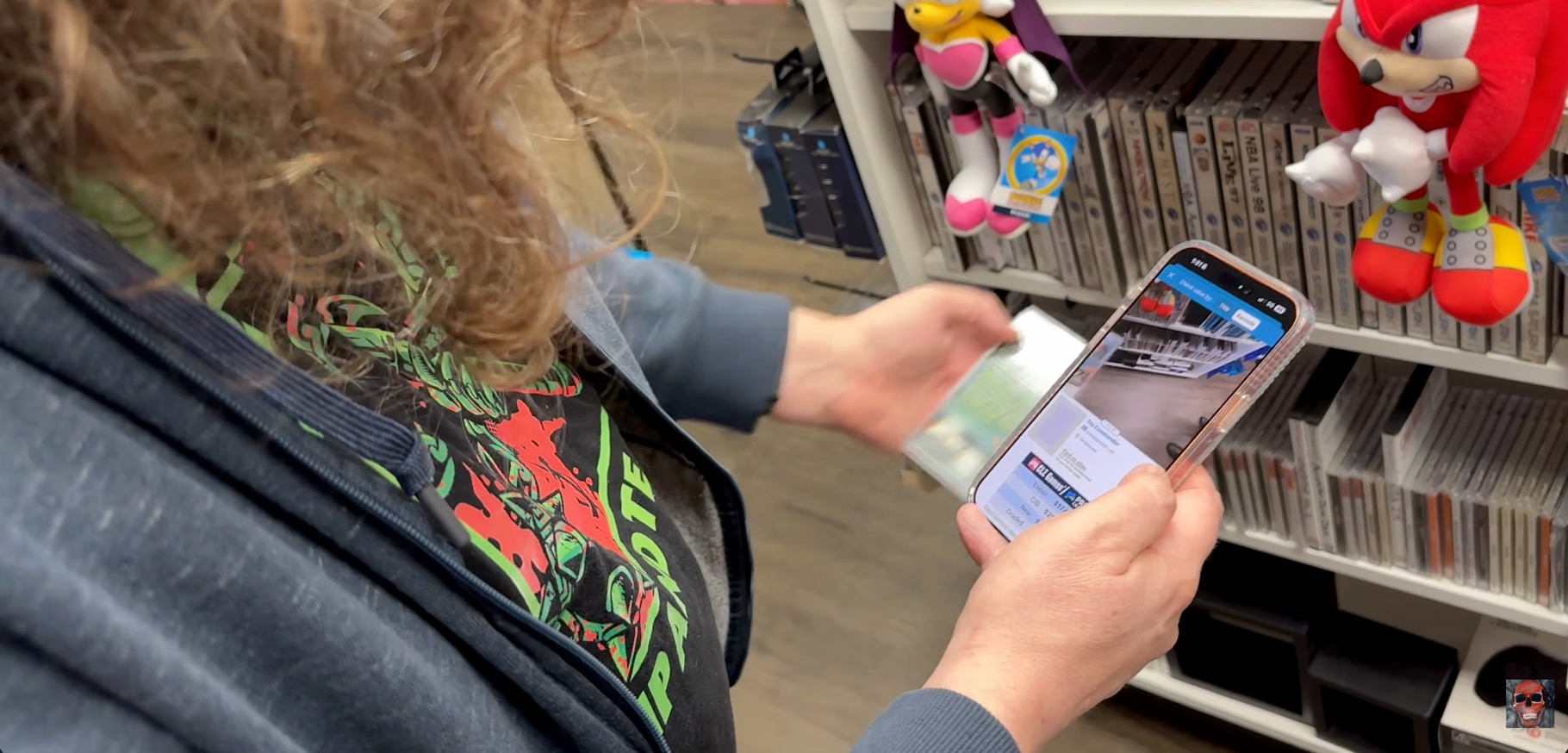
Popular game collector YouTuber Metal Jesus Rocks has been a fan and active user of the CLZ Games app for years. He has talked about the app several times in his videos.
Last week, CLZ sponsored his latest video game hunting video and MJR showed how he is using the app while browsing game stores. Check it out here. (the CLZ Game promo is at around 8 mins in).
What’s cooking?
CLZ Web: add more images to your entries
After the launch of the Custom Fields, this is the next step in customizing your database entries: the ability to add more images, next to the Front and Back covers.
Of course, this will come to the mobile apps too, including full syncing of your custom images!
CLZ mobile apps: Create (and Sync!!) your own Custom Fields
Two months ago, we introduced the Custom Fields feature for the CLZ Web web-based software. But… it is also coming to the CLZ mobile apps! Pim and Bernard are already working on this, but it is a big one. ETA: June?
Once the Custom Fields are live for the mobile, you will be able to sync your custom field definitions and their data back and forth between Web and Mobile!
Enjoy!