What's new in CLZ Comics Mobile? (page 16)

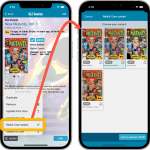 Nope, we won’t stop improving this app 🙂 Here’s version 7.10 already, with one new feature and one improvement requested by you all:
- Relink Core Variant: easily link your local entry to a different variant in Core
- Improved Card View: now including Grade/Value and Collection Status
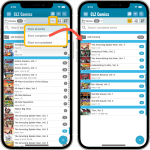 Another nice update for your CLZ Comics app, with 2 new features that were requested by you all:
- Filter your Series list by “Completed” status
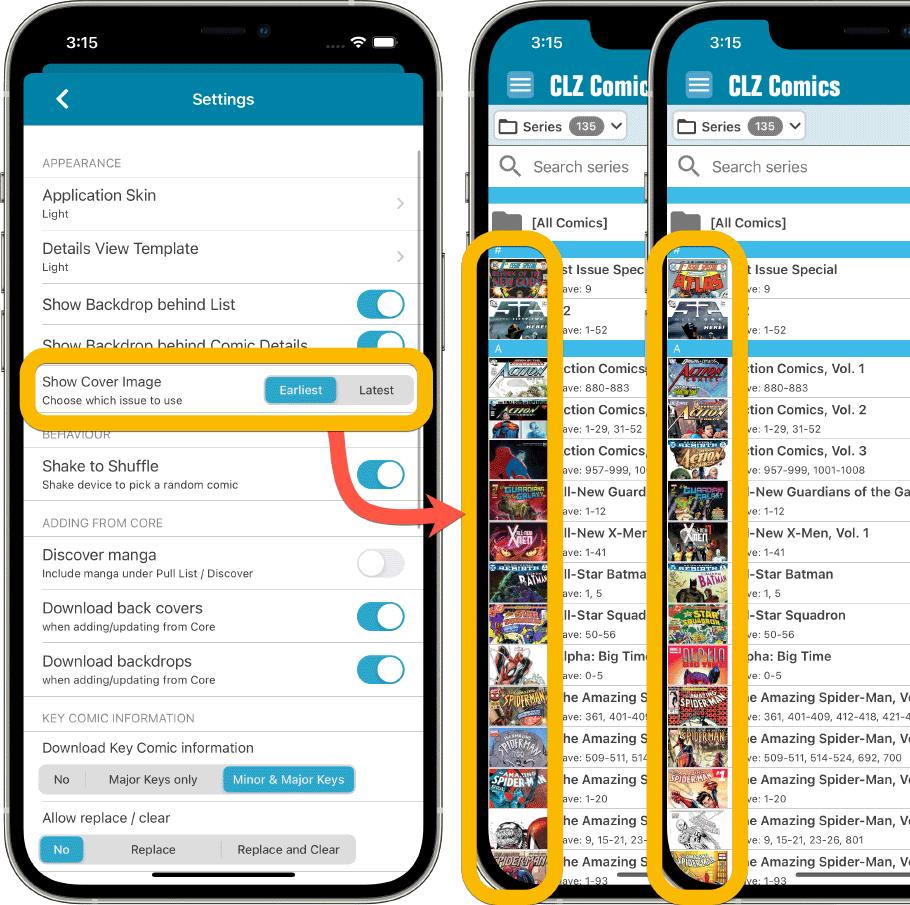
- New Setting for Series Images: Earliest Issue or Latest Issue
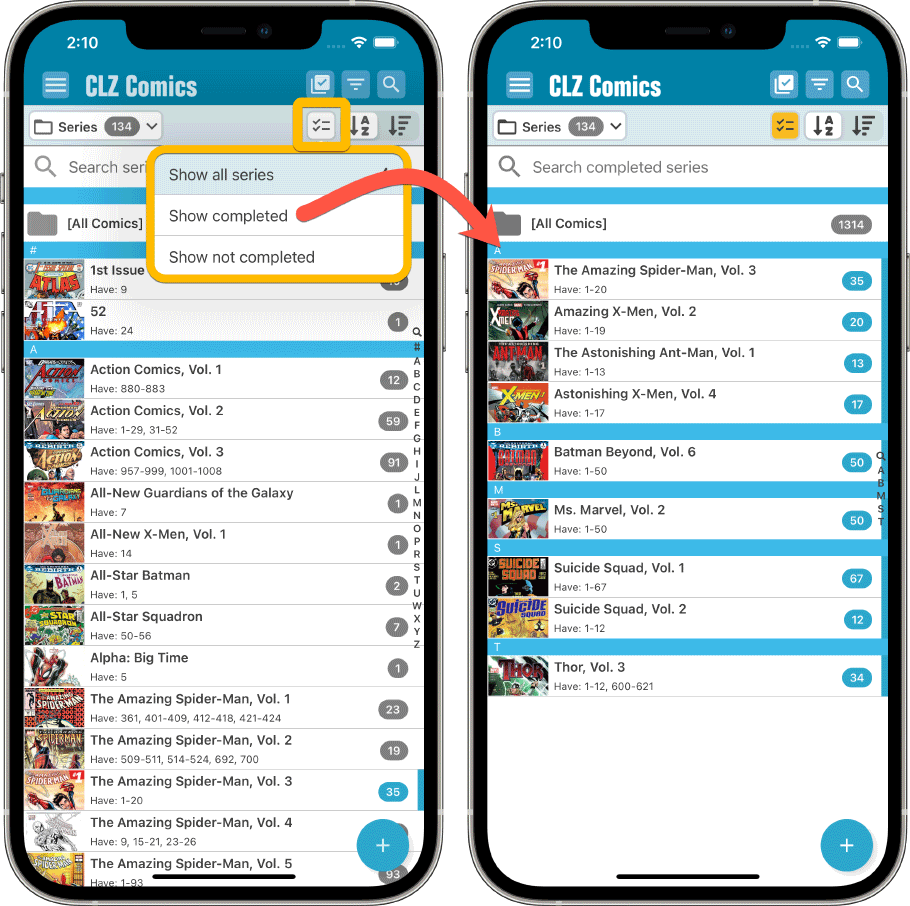
Filter your Series list by “Completed” status
This has been a recurring request since we introduced the ability to mark series as “Completed”. So we made it happen.
Just tap the checklist icon at the top and choose “Show completed” to only show all series that have been marked as Completed.
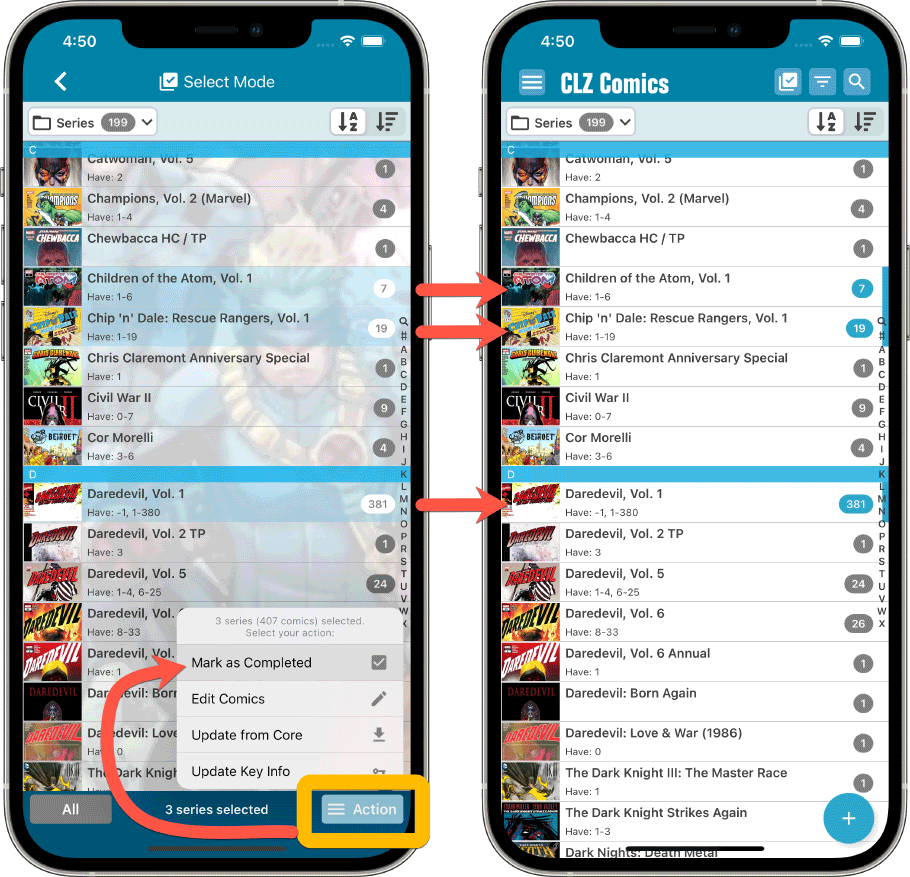
Note that the Series Completed flag is a manual flag. You decide if a series is completed or not. You can either set that flag in the Edit Series screen (e.g. from Manage Pick Lists) or just select multiple series in the series list, then choose “Mark as Completed” from the Action button menu.
New Setting for Series Images: Earliest Issue or Latest Issue
In your series list, the app has always shown the cover image of the latest issue for that series that you own. But some users indicated that they would prefer it to use the first or earliest issue of the series, because in most cases that is a more recognizable issue.
So we made it into a setting!
Other changes:
Next to the features above, we also added 2 other things, 1 requested (or demanded) by Apple, and 1 requested by the CLZ support guys and gal 🙂
- Edit Series screen: modify the CLZ Series ID:
This is sometimes necessary when your series entry is linked to the wrong Core Series. In general: only do this when instructed by CLZ support staff. - New “Delete my CLZ Account” option under Settings (iOS only):
A new requirement by Apple, a way to to delete your account from the app itself. If you value your app, subscription and your cloud data, do NOT press this button!!! 🙂
Fixed for iOS:
- New in the Settings screen, as required by Apple: a “Delete my CLZ Account” button.
- Pull List: My Series now only works on your currently selected collection, instead of all collections
- Small fixes to the most valuable comics statistic
Fixed for Android:
- After tapping on a quick search series result, the keyboard wouldn’t automatically hide
- Small fixes to the most valuable comics statistic
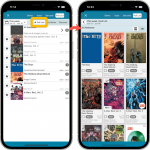 Based on lots of feedback from members of the CLZ Comics group on Facebook, we decided to completely re-design and rewrite the Pull List feature. With this update, the Pull List tab in the Add Comics screen has been expanded into a fully flexible way to browse recent and upcoming comic releases.
 Great news for all users of our comic cataloging tools:
We can finally reveal which 3rd party we are going to work with for the upcoming solutions for comic values!
We are proud and excited to announce that our new partner for comic values is….:
>> COVRPRICE !!!
Yes, CLZ and COVRPRICE are going to work together, to provide you with the internet’s most reliable and up-to-date comic values, right there in your favorite comic cataloging tool!
This also means we can finally answer your most common questions:
- Will it only provide values for graded comics or for raw comics too?
- What will it cost?
- ETA???
Fixed:
- iPad only: Fixed a crash in the add screen
- iPad only: New list view was missing a blue highlight for selecting comics
- Add Screen: Selecting a comic to preview it also already checkboxed it for adding
Fixed:
- Card View would crash the app if the Show Coverdates was switched on and a cover date was missing
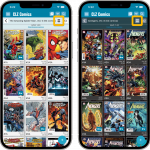 Another big update for your CLZ Comics app, in which we introduce a new view for your comic collection. But there’s more:
- Main screen:
- New “Card View”
- Selecting comics now also possible in Card View and Images View
- Floating “Add Comics” button (the big blue “+”) now auto-hides
- Add Comics screen:
- List View is back!
- “Add Manually” is back!
Today, two fixes for the new Add Comics screen and small fix for the details panel on iPad:
- Slow opening of issue list for a series
Opening a series to go to its issue list could cause the app to “freeze” for a while, depending on the number of issues in the series AND the number of comics in your database.Please note that this was not related to the loading of the large images. Instead, it was just a stupid bug that was introduced during the rewrite of this screen, related to the “in collection highlighting”.
You will find that all series now open instantly, even with the large images 🙂
- Pull List showed all issues of a series
When opening a series on the pull list, it incorrectly showed all issues for the series, where as it should of course show recent and future issues only. - Comic details on iPad: visibility of backdrop
A small fix/tweak for the comic details panel on iPad, to make the backdrop more visible
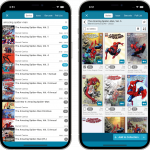 For this update, the main goal was to make the cover images in the Add Comics screen bigger, to make it easier to find the issue or variant that you own.
However, while working on that, we ran into many other things that could be improved, so we figured why not? So in the end, it turned out be a serious overhaul of the Add Comics screen 🙂
Here’s an overview of all the improvements:
- Bigger cover images in the Issue List
- The Issue List for a series now opens in a separate page
- Preview Page now also shows a bigger cover image
- New look or series search results and series search “suggestions box”
- Close the Add Comics screen with “X” top left, no more “double back button” confusion
Fixed:
- Crash when adding a comic while the Purchase Price field was active in the Pre-Fill screen
Fixed:
- Templates: Tapping the cover to zoom in on it often caused the cover to flip to the back cover
- Adding an item to a different collection status caused Pre-fill fields to clear in the existing entry
- Sorting: When sorting by cover price, comics without a cover price would show “Cover: null” in the list
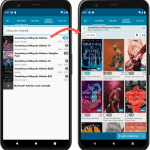 We are working several improvements for the Add Comics screen of the CLZ Comics mobile app.
The main change will be in the issue list, which will now show as a 3-column grid, with BIG cover images. But still with all the info you had before: Issue Nr, Variant, Variant Description, Release Date and a Key icon.
The main goal here is to make it easier to find your cover, your variant, without having to tap each cover to see the full size version.
 Initially, when we created the mobile apps, we deliberately decided to leave out the back cover images, for performance, storage and bandwidth reasons. But with today’s fast internet speeds and fast devices with large storage.. it is time to change our minds!
Read more
In this update, no new features, just a nice improvement that makes existing functionality a bit better.
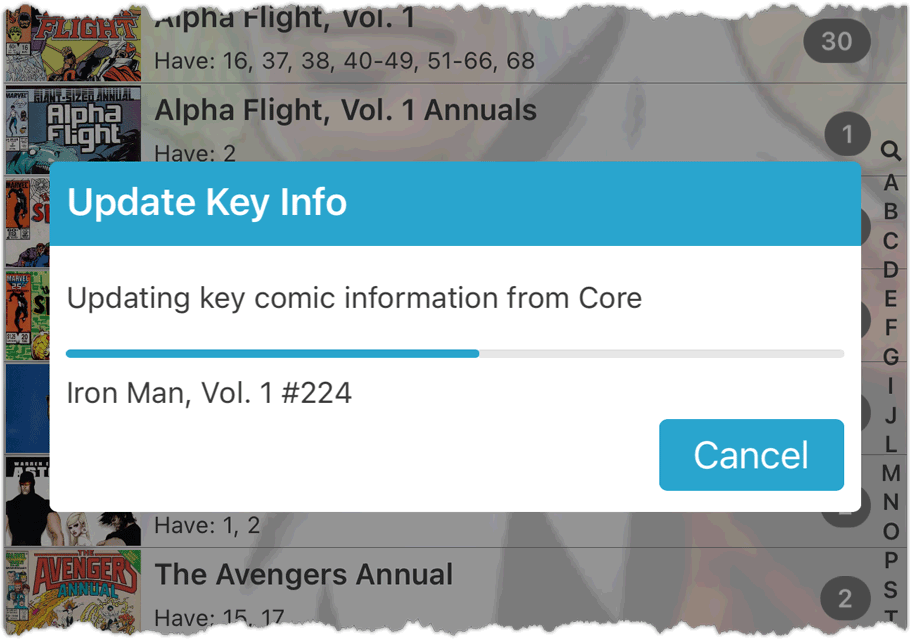
All actions in the app that can take a bit longer are now showing a nice progress bar!
This gives you some idea how long the action will take.
Also, the new Cancel button lets you stop actions, e.g. if you see it will take too long to do at this time.
The new progress bars are now shown when:
- Adding multiple comics
- Editing multiple comics
- Removing multiple comics
- Updating from Core
- Updating key comic information
Fixed for Android:
- App could crash when tapping the Add button in the main screen
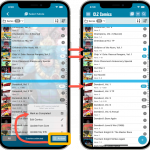 We’re on a roll! Today marks the release of CLZ Comics 7.3, with an easier and quicker way of marking Series as Completed.
We introduced the “Completed” toggle back in November 2021. It is used to indicate that a Series is “completed”. Until now, the toggle could only be set one series at a time, using the Edit Series screen.
Today, by popular request, we’re introducing a way to mark multiple Series as Completed in one go! Just select multiple series in the Series list, then choose “Mark as Completed” from the Action button menu.
Fixed:
- Crash when adding comics with the Pre-fill screen DISABLED
- When using “Fill with Cover Price minus Discount” to set the Purchase Price, the discounted price was not calculated correctly
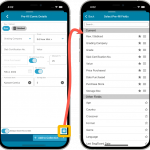 One of the most popular features we added to the CLZ Comics app in the past few years is the Pre-fill screen. You know, the screen that pops up when adding new comics from Core and lets you “pre-fill” some fields for the new additions, right there and then. Without having to go back and edit the entries afterwards. A big time-saver for most users.
The set of fields that is available on the Pre-fill screen has always been fixed, limited to Storage Box, Owner, Purchase Date/Store/Price, Quantity, Grade, Grading Company and Tags.
However, after the release of this feature, we instantly started getting requests for more fields to be added to the Pre-fill screen. Which makes sense, I mean, if you always fill in a field that is not on the Pre-fill screen, you would have to “edit after adding” anyway, rendering the entire Pre-fill screen useless…
So today we are taking the Pre-fill feature to the next level by making the screen completely user-configurable. That is, to allow you to choose your own Pre-fill fields!
And while we were at it, we made some other related improvements. Here’s what’s new in version 7.2:
- User-configurable Pre-fill screen: choose your own fields
- Pre-fill: new for personal Date fields: Use “Today”
- Pre-fill: new for Purchase Price: Use “Cover Price” minus your discount percentage.
- The Pre-fill screen is now also used to set field defaults
 The “Automatic key comic info” feature, introduced early November, has proven to be enormously popular… BUT it is also easily THE most controversial feature that we have ever introduced to any of our software titles!
Most users are loving the extra little trivia about their comics. But others are annoyed by too many comics being “key” for reasons that are not important enough in their opinion.
Soo… let’s see if we can improve this feature, so that we can remove most of the annoyance and make it useful for a larger part of our audience.
Today, we introduce the following improvements to the key comics feature:
- Distinction between Minor Keys (blue icon) and Major Keys (yellow icon).
- New “Key Category” field, automatically delivered from Core, e.g. “First appearance”, “Death”, “Cameo appearance”, “Iconic cover”, etc..
- New “Update Key Info” tool in menu, that is fully configurable (Minor/Major Keys, Allow Overwrite/Clear). No more need to use Update from Core.
- Key icons now also show in issue lists in Add Comics screen.
- New charts in Statistics screen, for Key Comics and Key Category.
Some small tweaks and fixes based on the feedback we received after the big v7 release:
Tweaks:
- Download key comic info from Core can now be switched OFF in Settings
- Pre-fill popup: Quantity is now always reset to 1
- For debugging and support purposes the Edit Series screen now shows Core SeriesID
Fixes:
- Clear Database didn’t clear the Pull List
Some small tweaks and fixes based on the feedback we received after the big v7 release:
Tweaks:
- Download key comic info from Core can now be switched OFF in Settings
- Pre-fill popup: Quantity is now always reset to 1
- For debugging and support purposes the Edit Series screen now shows Core SeriesID
Fixes:
- Add Comics: Adding from pull list wasn’t working
- Statistics: The “paid” information was not calculated correctly
- Folders: “a”/”b” folders showing up instead of Yes/No
- Update from Core: some comics kept getting an update
- Clear Database didn’t clear the Pull List
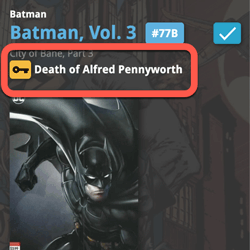 A huge 7.0 update for your CLZ Comics apps is now available, with one big new feature (key comic info!), many new fields and several improvements to existing features. All in one go and all based on your feedback!
New today:
- NEW: Automatic key comic information from Core!
- Many new fields (Sold date/price, Series Completed, Slab Cert Nr, Bag/Board date)
- Improved List View entries, showing Key/Slabbed icons and Qty
- Improved Add Comics screen: Show/Hide Variants, enlarge thumbs, new beeps
- Improved “Missing Comics” screen (Show/Hide On Order and Unreleased)
- Use barcode scanner to search your own database
- Your Pull List now syncs between devices and software platforms
- New Collection Status icons and colors
IMPORTANT: For this v7 update, we have changed the database format (because of the new fields), so the first time you start version 7, the app will have to migrate your database to the new format. Depending on the speed of your device and the size of your database, this may take anywhere between 15 seconds and several minutes.
Our agreement with GoCollect has ended, so in this update we have removed all GoCollect-related features.
Which means no more automatic comic values when you add comics and no more daily updates for values.
We fully understand this is a shock and a disappointment for you all. Trust me, we are very disappointed too, maybe even more so than you are. In any case, we sincerely apologize for this sudden loss of functionality.
Our agreement with GoCollect has ended, so in this update we have removed all GoCollect-related features.
Which means no more automatic comic values when you add comics and no more daily updates for values.
We fully understand this is a shock and a disappointment for you all. Trust me, we are very disappointed too, maybe even more so than you are. In any case, we sincerely apologize for this sudden loss of functionality.
New:
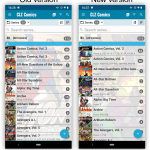
Main screen lists now fully support system font sizes, that is, the list rows now automatically become bigger/higher if you have set your device to a larger font size. (previously, some information would be cropped)
Read more
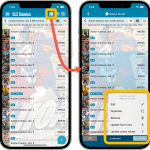 Now available in the App Store, version 6.8 for CLZ Comics. In this update, we finally bring the Submit to Core feature to the mobile app, so that you can help improve the Core online comic database, by submitting your corrections.
Also new in this update: Select Mode is now easier to activate and the Action menu has a new look.
Enjoy!