
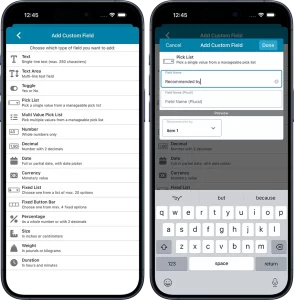
 Yes, it has been quite a while since we released updates for the CLZ mobile app. But there is a good reason for that. Most of the CLZ team has been working on our biggest update since years. And its release is very close now!
So here’s a quick heads-up for all users of our CLZ mobile apps: Within 2 weeks, we are going to release major version 11.0 updates for all 5 apps (CLZ Comics, CLZ Movies, CLZ Books, CLZ Music and CLZ Games).
In this version 11, we will introduce an important new CLZ feature, bringing yet another way to customize the app to fit your wants and needs:
Custom Fields: create your own data fields!
The Custom Fields feature will let you create your own data fields, to catalog any information for which the app does not have a built-in field.
You will be able to use the fields like any built-in fields, that is, sort on them, use custom pick list fields as folders, sync the data to CLZ Cloud, print or export list with the custom fields included, etc…
And, if you are also subscribed to the CLZ Web cloud-based software for your computer: the Custom Fields are available there too, so you can sync your created fields and their data between Web and mobile!
Many field types to choose from
When creating your own data fields, choose from a wide range of field types.
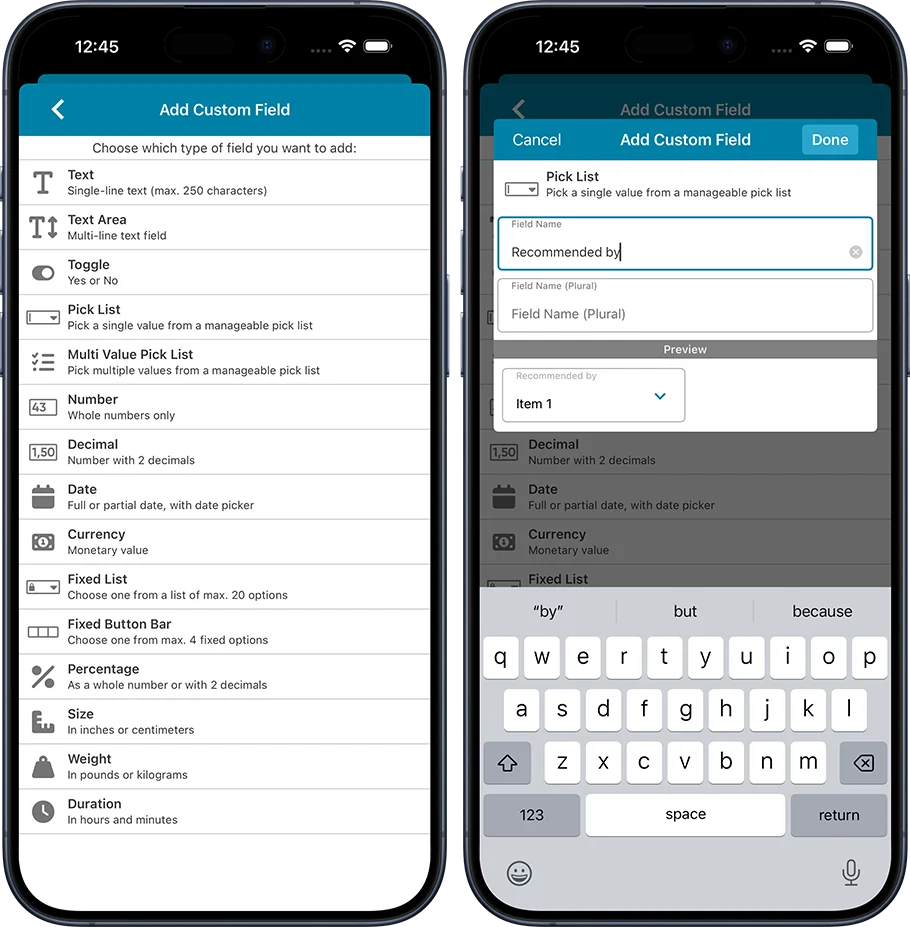
- Text
Single line text field (for max. 250 characters) - Textarea
Big text field (for lots more characters) - Toggle
Toggle between Yes and No - Pick List
Pick a single value from dropdown with manageable list - Multi-Value Pick List
Checkbox multiple values from a manageable list - Number
Whole numbers only - Decimal
Whole number with 2 decimals - Date
Date controller for full or partial date - Currency
Monetary value as a whole number or with 2 decimals - Fixed List
Choose one from a pre-defined fixed list of max. 20 options - Fixed Button Bar
Choose one from max. 4 options - Percentage
Percentage as a whole number or with 2 decimals - Size
Dimensions as a whole number or with 2 decimals - Weight
Weight as a whole number or with 2 decimals - Duration
In hours and minutes
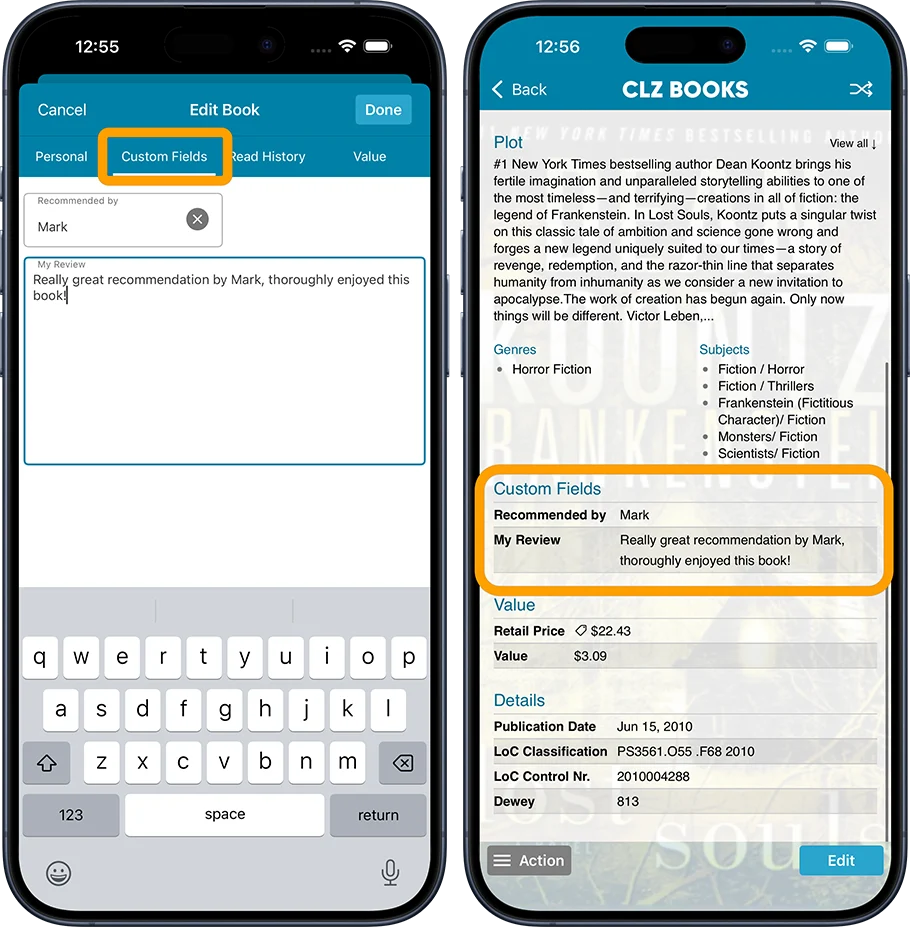
Fill in your Custom Fields using the special tab in the Edit screen
All fields you create will appear on a special Custom Fields tab of the Edit screen. The data you fill in will appear in a special section on the item detail pages.
ETA ?
We are currently aiming to release mid July. We will probably do a staggered, app-by-app release, during the week of July 13 to July 17.
Again, this is going to be THE killer feature for 2026!