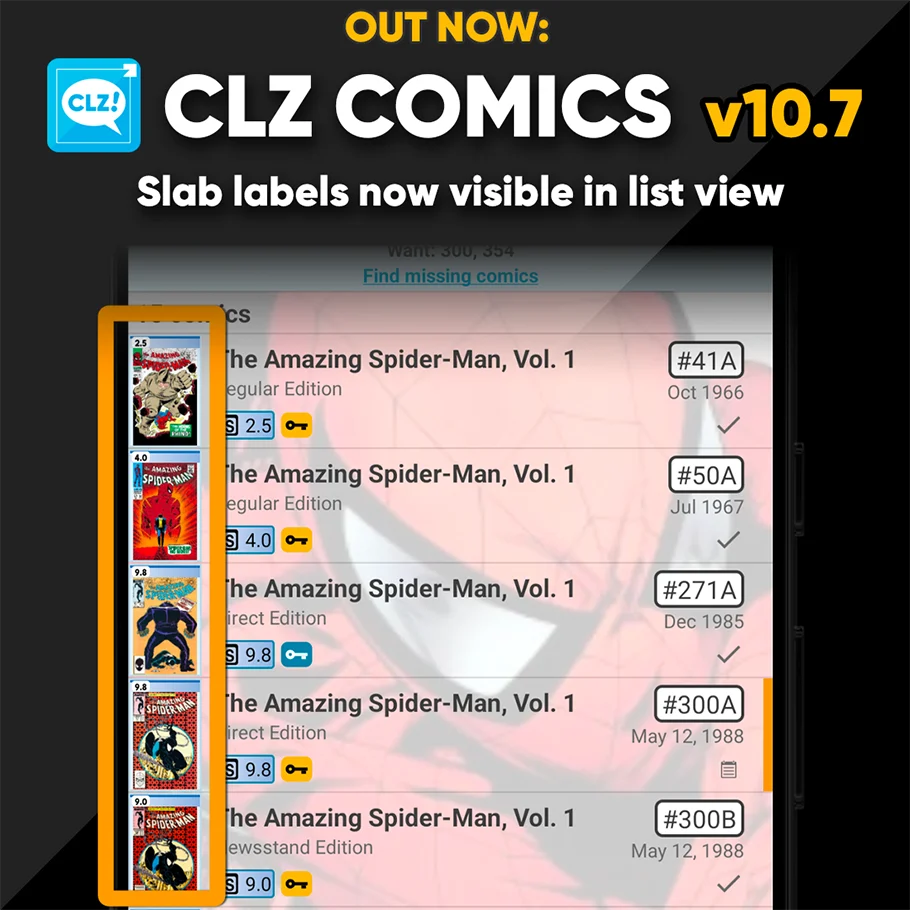
A special update for the slab collectors!

Three years ago, we introduced a new look for slabbed comics, with generated “slab frames” around the cover images, with blue/yellow/green labels at the top the grade at the top left, even showing actual Custom Labels. Making it super easy to spots your slabs between your raw comics.
For several reasons, that feature was only implemented in the Card View and on the comic details pages. Not in List View (we figured it would be too small) and in Images View (technically complex because of the configurable size).

However, our mobile developers Pim and Bernard gave it another try and did make it work this time.

So that’s what’s new in today’s 10.7 update:
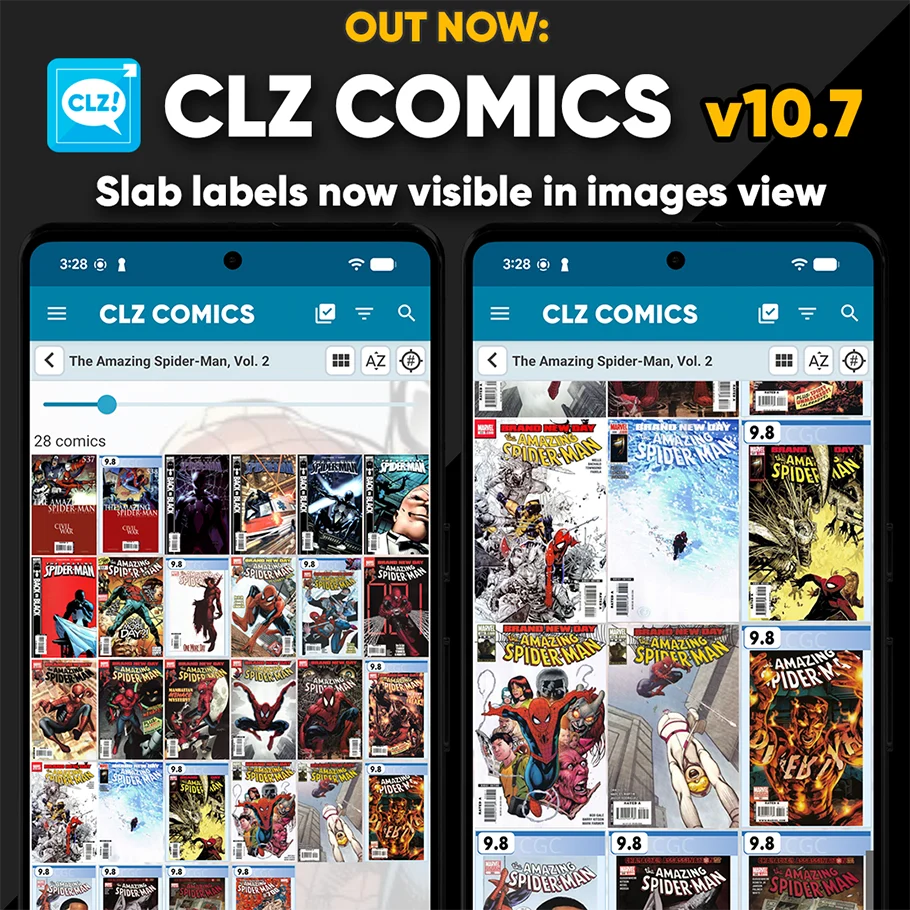
The generated slab frames are now visible in List View and Images View too!

Reminder: how to catalog your slabs

  • Add the comic like you normally would (by cover, by barcode, etc..)
  • Then go to the Edit Comics screen, and select the “Value” tab
  • On the Value tab:
    • Set the Raw / Slabbed toggle to Slabbed
    • Fill in the Grade field, e.g. “9.6”
    • Set the Grading company, e.g. to “CGC” or “CBCS”
    • Fill in the Label Type, Universal vs Signature, vs JSA, etc…
    • If applicable, choose your Custom Label

(or even easier: set these fields while adding using the Pre-Fill screen!)

Some screenshots:

Recent changes

v10.7: Slab frames now also available in images and list views Jan 09, 2026 v10.6: More improvements for the Cover Scanner Dec 16, 2025 v10.5: Two new features for the Add Comics screen: Scan barcodes “One-by-One” / Series “shortcuts” Nov 20, 2025 v10.4: Automatic eBay search links Oct 24, 2025 v10.3: Easier and faster Adding by Cover! Aug 04, 2025 v10.2: Security update Mar 03, 2025 v10.1: Check Comic Values by scanning covers! Dec 14, 2024 v10.0: Add Comics by scanning the cover! Dec 04, 2024 Coming soon, CLZ Comics v10.0 : Add Comics by scanning the cover! Nov 29, 2024 [Android] v9.10.2 / [iOS] v9.10.3: Further tweaks to the app icon! Oct 16, 2024 v9.10: New app icon to fit our new company name and logo Oct 12, 2024 v9.9: Several improvements and fixes Sep 27, 2024 v9.8 Subscribe to CovrPrice as an In-App purchase, straight from the CLZ app Sep 19, 2024 v9.7.3 Further tweaks based on your feedback Sep 12, 2024 v9.7: Various improvements for Add Comics, Statistics and Main screen Sep 02, 2024 v9.6.2 New “search for…” suggestions when adding by Series or Issue Aug 08, 2024 v9.5: Improved barcode scanner, no more AUTO/EXT toggle! Jul 19, 2024 v9.4: Re-design of Pull List feature (and now called “NCBD”) Jul 03, 2024 v9.2: Improved “Updated Values” screen, after updating from CovrPrice May 16, 2024 v9.1 Use Edit Multiple to set Creators & Characters Mar 28, 2024 v9.0: Check Value / Collection Tabs / Issue Search and more! Nov 30, 2023 v8.10: Improvements for Search box and Hide Variants mode Nov 02, 2023 v8.9: Easier access to Manage Pick Lists tool Oct 25, 2023 v8.8: Pre-fill screen: Orange highlights and a Clear button Oct 16, 2023 v8.7.1: New in-app getting started tips Sep 14, 2023

Archive