
 Today, another huge update for your CLZ Books mobile app, version 10.6. The update brings several new features and data fields that have been requested by our customers through the years:
- Track your Reading History, with multiple read sessions, each having Start and End Dates, Reading Status, Reading Progress and Reader fields.
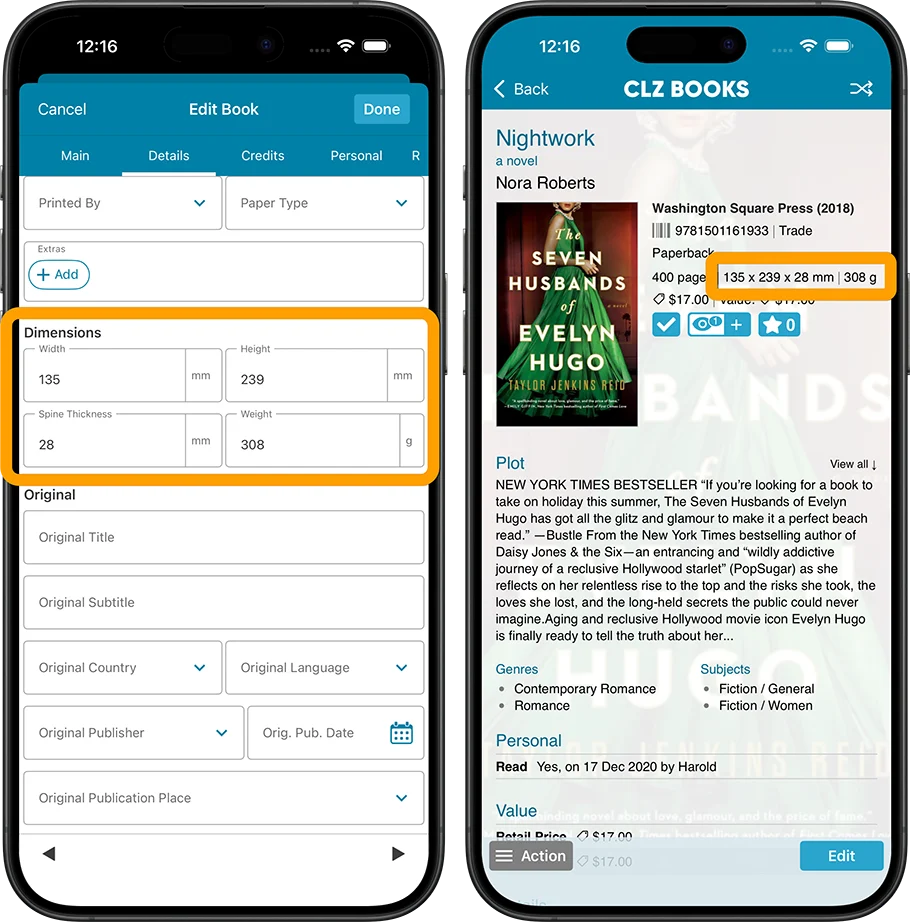
- New dimension fields: Spine Thickness and Weight, delivered automatically from Core!
- Next to Book Condition, a new field for the Dust Cover Condition
- Place of Publication, plus Original Place of Publication
Track your Reading History
The CLZ Books app has always allowed users to track whether they had read a book (Yes or No), plus a “Read Date”. Simple and effective. However, we kept getting requests for a more advanced way to track one’s reading history. Some users requested to track multiple read sessions, some wanted to enter both Start and End Dates or even allow reading progress, yet other users suggest to allow keeping track of multiple readers.
We postponed (read: procrastinated) implementing all this for quite a while, mainly because we wanted to go all the way with this. And for this update… we did exactly that!
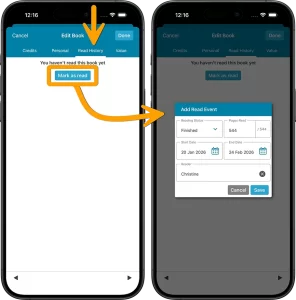
In the Edit Book screen, you will find a new tab called “Read History“, that lets you:
- Track multiple read sessions, with their own dates.
- For each session, enter not only the End Date, but also the Start Date.
- Track the Reading Status (Finished, Reading or Dropped).
- Track your Reading Progress, that is, the number of pages read out of the total number of pages.
- And finally, track the Reader, that is who read the book. Great for tracking the reading of your family members too.
Tip: use the folder feature to group by Reader, Reading Status, Reading Year, Reading Month, or Reading Date to get a nice overview of which books you or someone else in your family is reading, has read or dropped, for each period.
Also, use the new Sort Option “Last Read” to sort your books by the last date you read them.
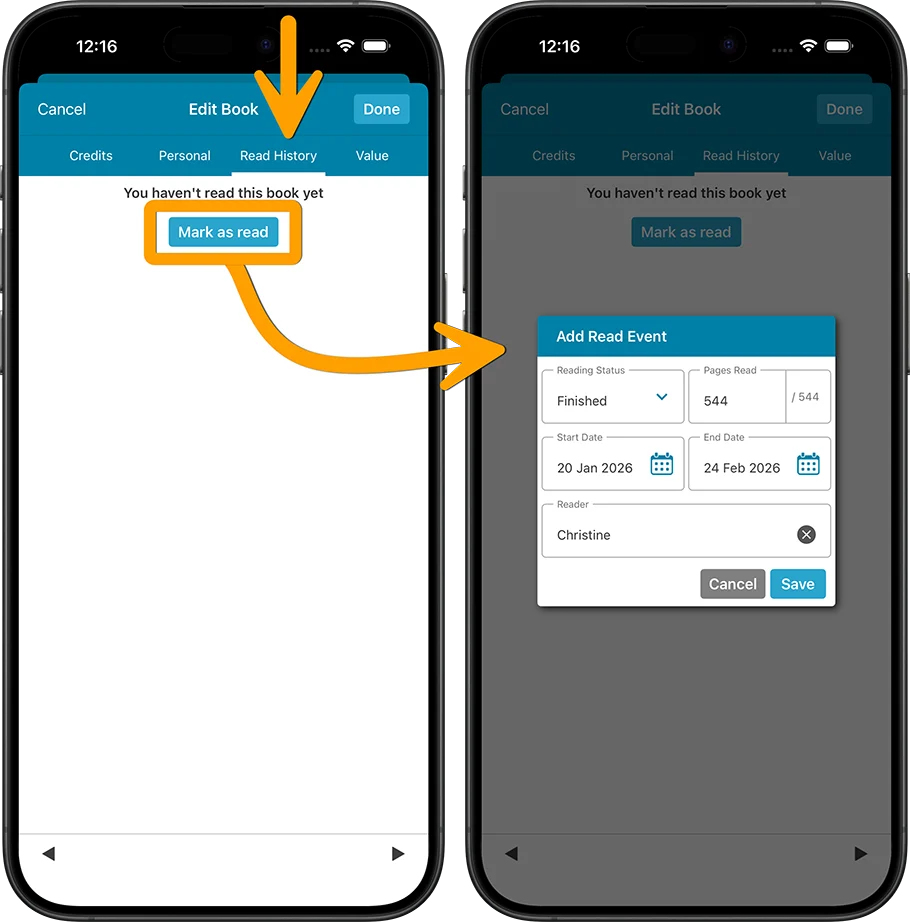
The full Reading History is shown in its own section in the book details panel:
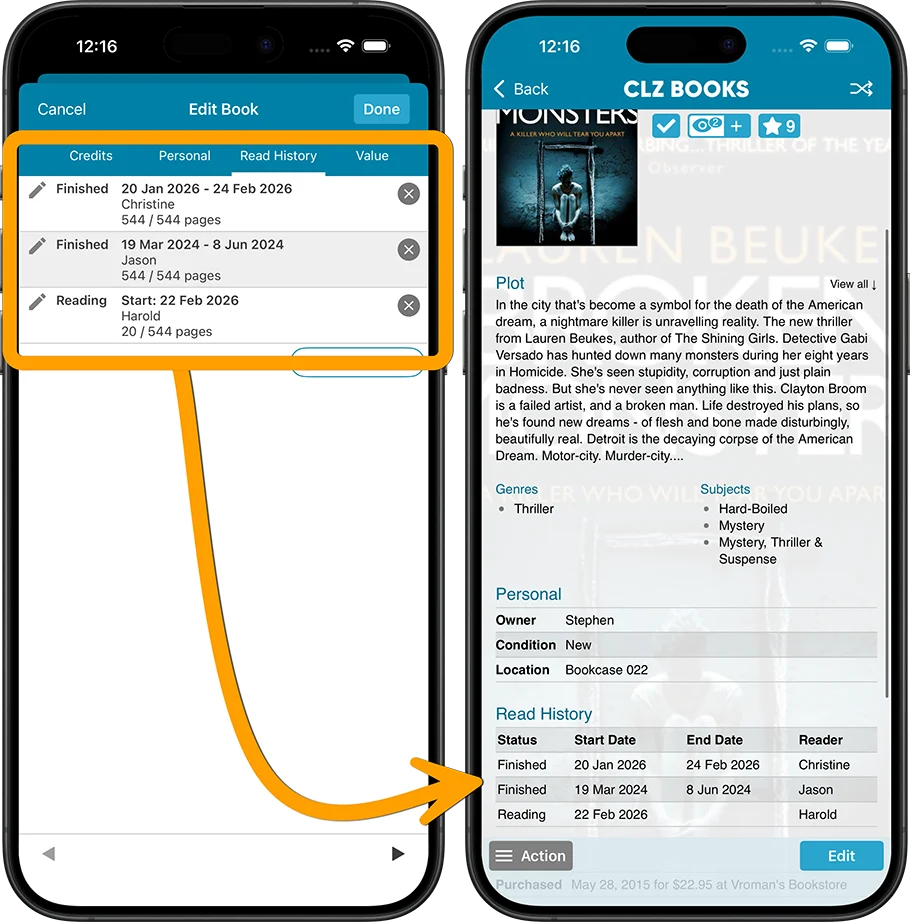
Tip: You can use the new + button next to the eye at the top of the details panel to register an extra Read event!
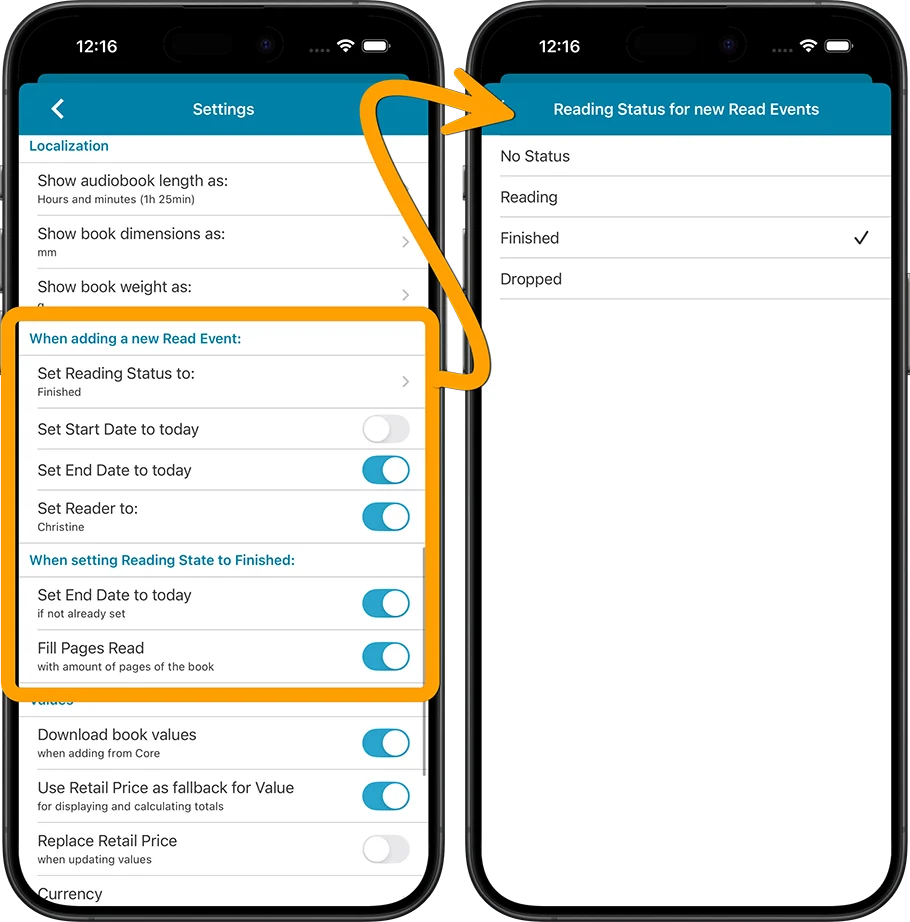
Automation settings for starting or finishing Reading event
We’ve added smart automation settings for when you start or finish a reading event. Open the menu (top left) and go to Settings to find them.
You can set this up precisely to what you like CLZ Books to do when adding a new Reading event, or when you set one to Finished. For example, you can let it auto-fill an end date when you set a reading event to “Finished”.
Reading History statistics
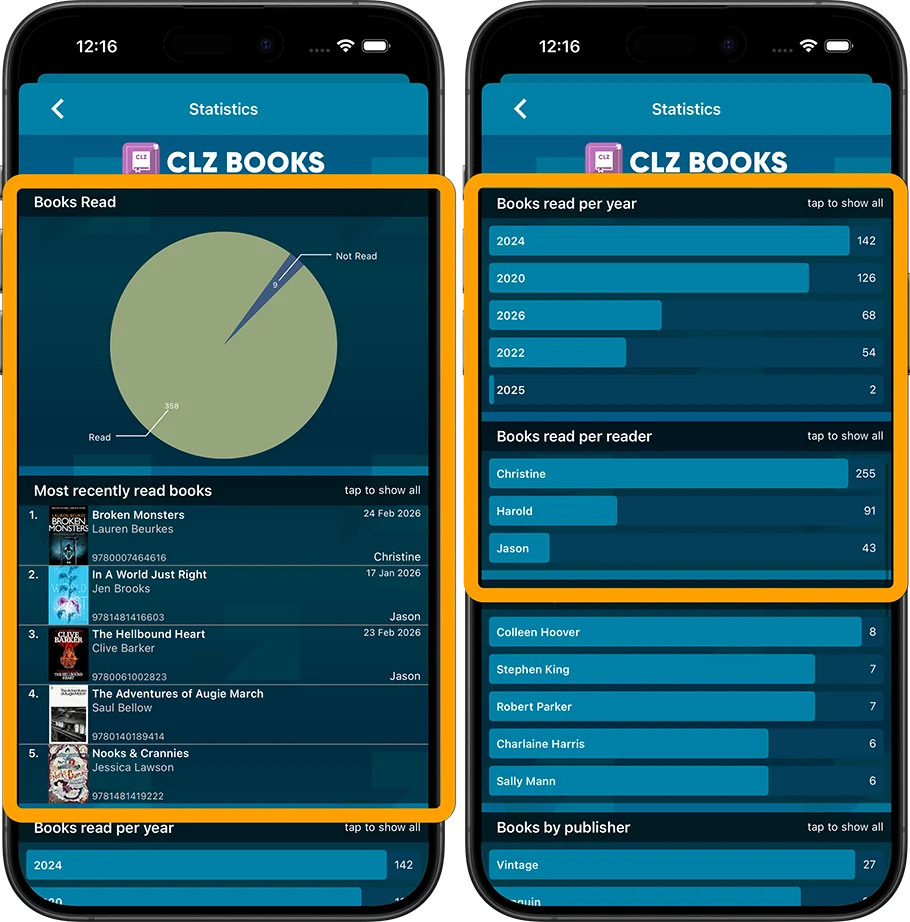
Check out the new Reading Statistics section under Statistics to find:
- A “Books Read” pie chart, showing your Read/Not Read books.
- A “Most recently read” top list, showing the books someone most recently read.
- A “Books Read Per Year” bar chart, showing books read per year.
- A “Books Read Per Reader” bar chart, showing books read per reader.
More book dimension fields: Spine Thickness and Weight
Next to Width and Height, we now added two new book dimension fields:
- Spine Thickness (also referrer to as Spine Width)
- Weight
Both can be manually filled in on the Details tab of the Edit Book screen.
But, the fields are now also automatically delivered from Core for most new books you add.
TIP: to get this data for the existing books in your collection, using Update from Core!
TIP2: You can change the unit of measurement for these fields in the Settings screen.
Dust Cover Condition
Next to the regular Book Condition, there is now a separate field for the condition of the Dust Cover (also referred to as “Dust Jacket”).
Place of Publication and Original Place of Publication
These helps you keep track of where a specific edition was published, and where the book originally came from. Very useful for translated works, reprints or international editions.
Have you been already been using the Read History feature in the CLZ Books Web software?
In that case you can get that the Read History data from CLZ Books Web to your mobile app. Here’s how:
1. Make sure you have version 10.6 on your mobile device
On your CLZ Books Mobile app, make sure you have version 10.6 installed (check the version by tapping the menu top left, then look at the version number at the top!)
2. Use “Update all from CLZ Cloud” to download your Read History from CLZ Books Web
- Tap the menu top left, then tap “Maintenance”
- Tap “Update all from CLZ Cloud” and continue.
- Wait for the sync to finish.. and done!
How to update your app to version 10.6?
Here’s how to update your app to the new version:
on iOS:
- On your device, open the App Store app on your device.
- Search for “CLZ” and select your CLZ app.
- Tap “Update” to update the app
on Android:
- On your device, open the Play Store app.
- Search “CLZ” and select your CLZ app.
- Tap “Update” to update the app.