
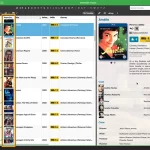
 Two nice improvements for CLZ Web in one go. First, you can now add a cover thumbnail as a column in your List View. Next to that, we spent some time improving the keyboard support in the Edit screen.
On top of that, we’ve now also added the possibility to install CLZ Web “as an app” to your computer.
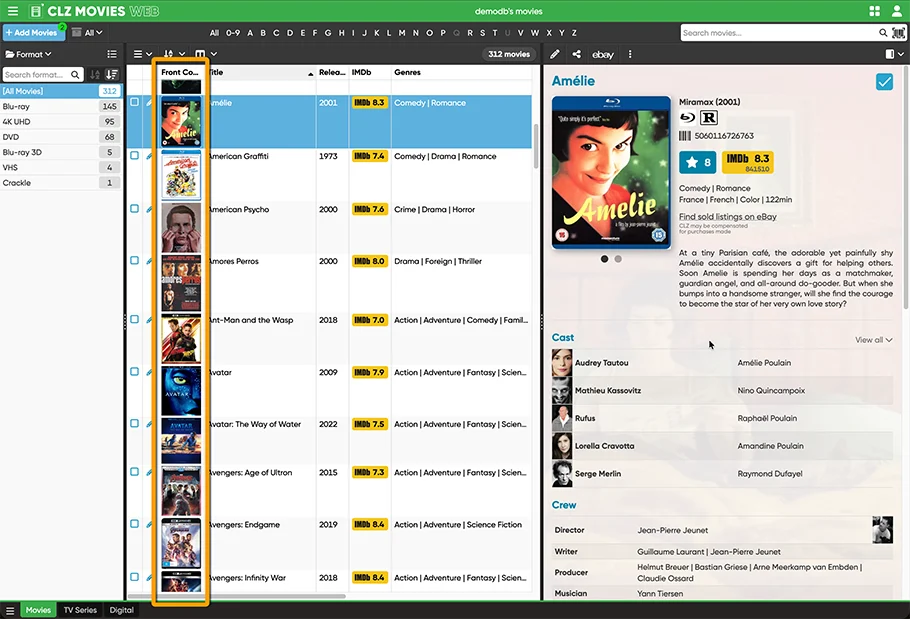
Add cover thumbnails to your List View
CLZ Web already had several views that include the cover images, like the Horizontal Cards, the Vertical Cards and of course the Image and Shelves View.
But a while ago one user suggested to allow the inclusion of a small cover thumbnail as column in the fully configurable List View. We were a bit hesitant, mainly because it would make the list rows quite a bit higher. But we figured, let’s try how it works out and then decide. So CLZ Joe, one of our web-developers, just implemented it and… we absolutely loved the result 🙂
So it’s here, live in your Web software today. And of course, we allowed the inclusion of the back cover too. And.. we made it super easy to customize the size of the thumbs, by just resizing the column, just like you would for any other column.
Finally, while were at it, we also added two other new column and folder options, for easily finding entries that do or do not have a front or back image:
- Has Front
- Has Back
Better keyboard support
This is for our loyal Club CLZ member Twan (user twazerty). That is, we did not built this only for him, but he *was* the one who suggested improving the keyboard support in the Web software.
Here’s what we changed:
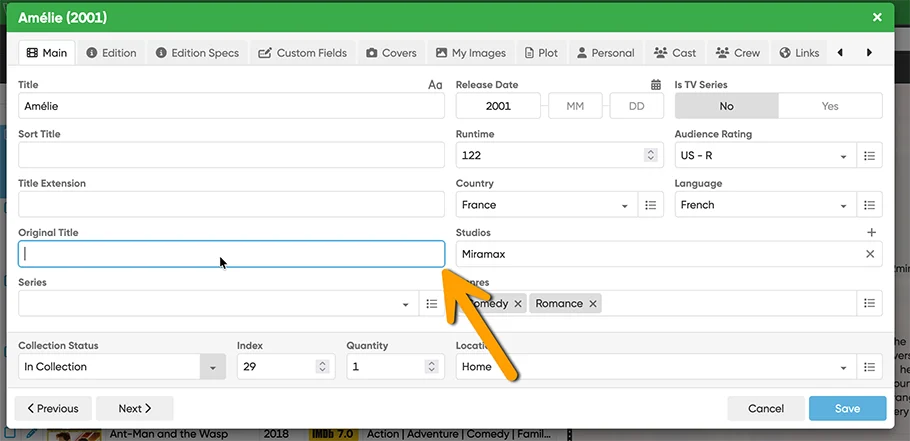
- General tabbing/keyboard navigation improvements that make using the keyboard feel more intuitive
- Improved visual focus for focused edit fields
- Keyboard navigation for options (Arrow Left/Right or Up/Down, Home, End)
- Toggle options with Spacebar or Enter
- Close dropdowns with Escape
- Put focus back on field when closing “Select from List” screen
Install CLZ Web as an app
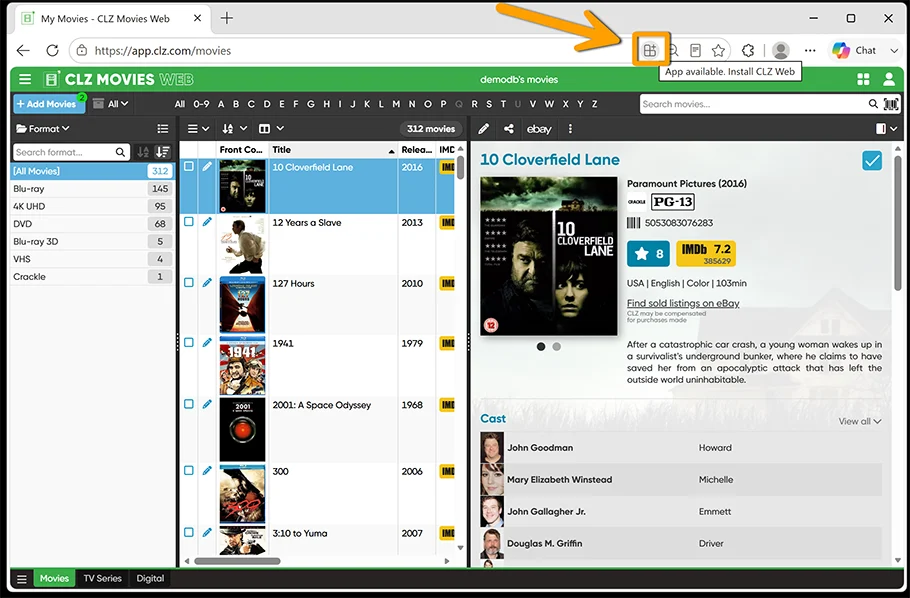
You can now also install CLZ Web as an app. To do this, just go to CLZ Web, and click the app/install icon in the address bar and confirm installation!
Chrome:
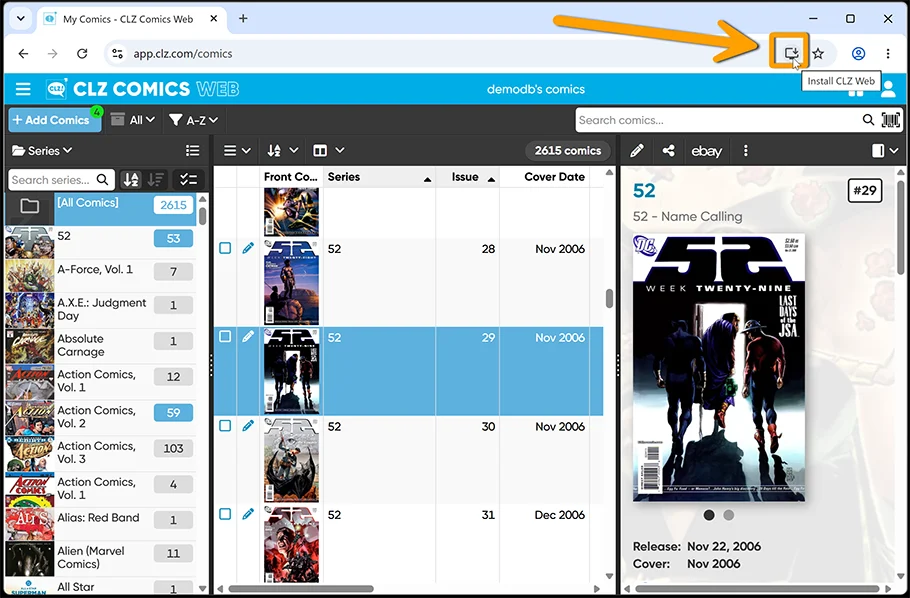
Edge:
Or if you’re on Safari, click the share button top right, and then click “Add to Dock”