 We have finally been able to free up web-developer Stijn from several long running “back-end” projects, so he is making good progress on all kinds of smaller Music Connect improvements.
In today’s update, 3 nice additions / tweaks:
- Easier user interface for Columns and Sorting
- Remove/Restore the automatic Core images for Front and Back
- More fields available in Field Defaults
Easier user interface for Columns and Sorting
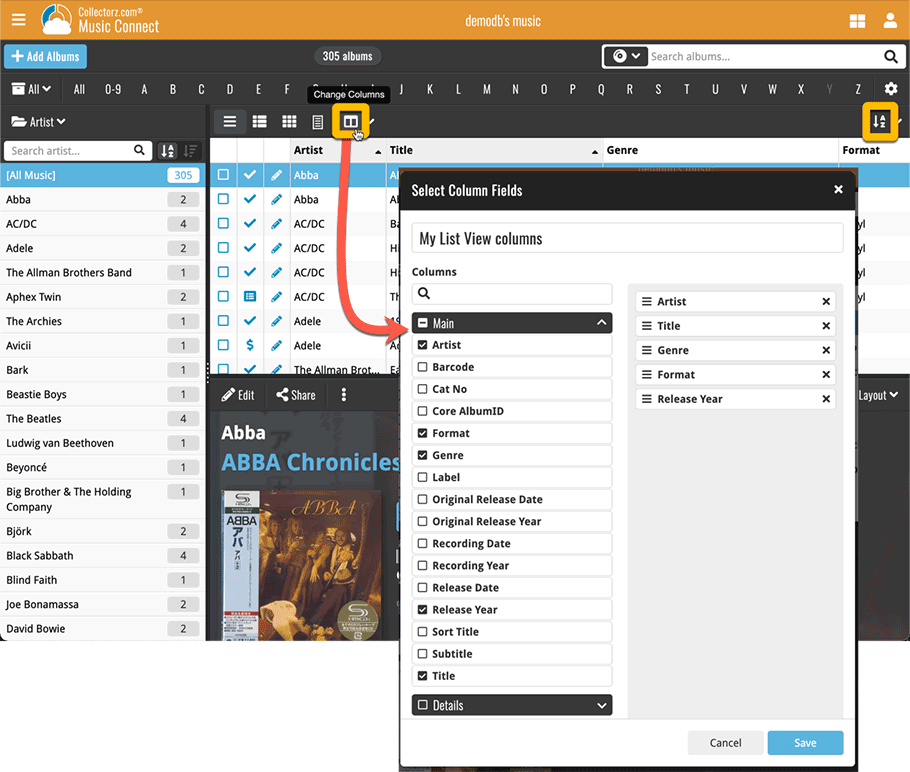
A small change to the user interface for selecting Columns and Sort Order. The main goal here was to make it easier and quicker to just change columns and sort fields for your current column or sorting favorite.
Previously, you had to click the button, then from the menu that appeared choose Manage Favorites, then in the Favorites list, click the Edit button for your current favorite.
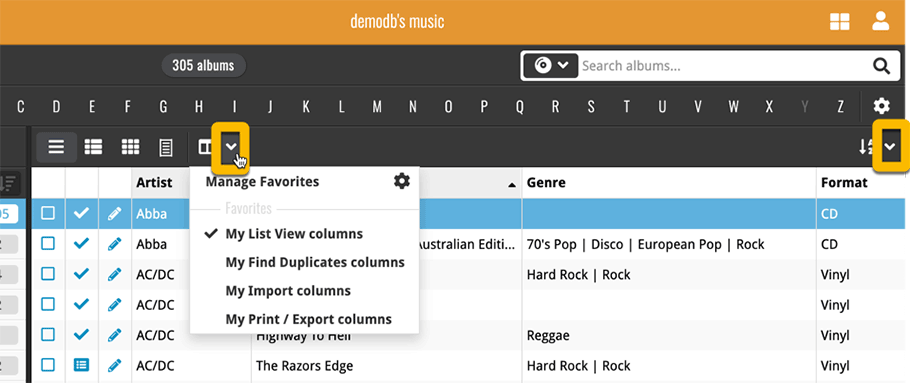
Now, we have split up the button into two clickable areas with two separate actions, the button itself and the little arrow to the right of it:
- Click the button itself to instantly edit your current favorite, that is, to add or remove fields.
- Click the arrow icon to drop down the Favorites menu, either to switch to a different favorite, or to open the Manage Favorites screen.
Remove/Restore the automatic Core images for Front and Back
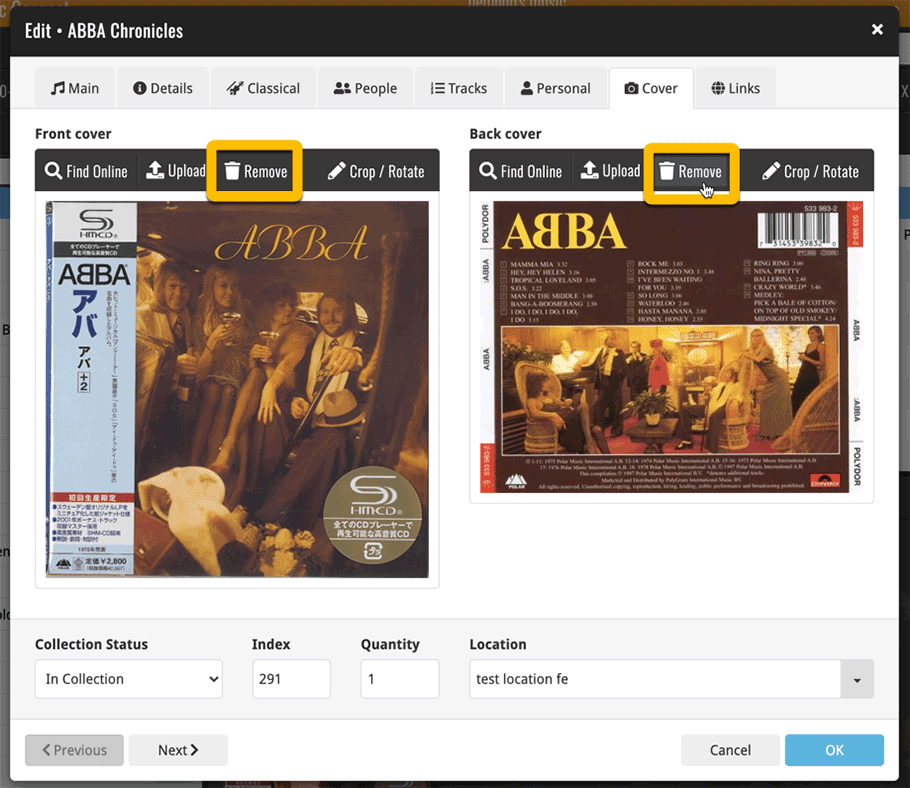
If you add albums using the Add Albums from Core screen, you will automatically get the correct front cover from our Core, that is, in most cases. If the cover is not correct, or not to your liking for some reason, you can always replace the cover image with your own, either by Uploading one or by using the Find Online tool.
However, it was never possible to just remove the cover from Core. E.g. when you can’t find the correct image, so can’t replace it, but still want to remove the incorrect one.
So we made that possible now, for both Front and Back.
- Use the Remove button to remove the Core cover. Don’t worry, this will not actually remove the cover from our Core. It will just “hide” it in your collection.
- Changed your mind? Then hit the Restore button to restore the Core cover again.
More fields available in Field Defaults
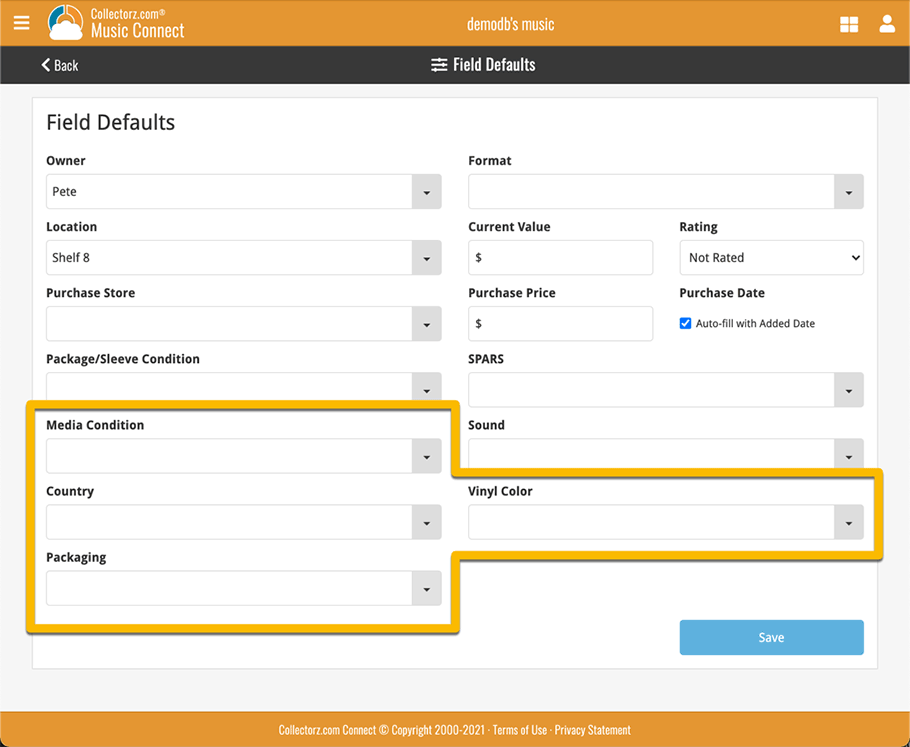
The Field Defaults screen is a useful tool to set default values for some commonly used fields. E.g. set the default for the Owner field to your name, and it will be automatically set for all albums that you add.
Of course, setting a default does not make sense for all fields (e.g. not for the Title field), so not all fields are available in this screen. Still… some fields for which it is sensible were missing, so we fixed that today.
New in the Fields Defaults screen:
- Packaging
- Media Condition
- Sound
- Vinyl Color
- Country