What's new in CLZ Comics Mobile? 2026

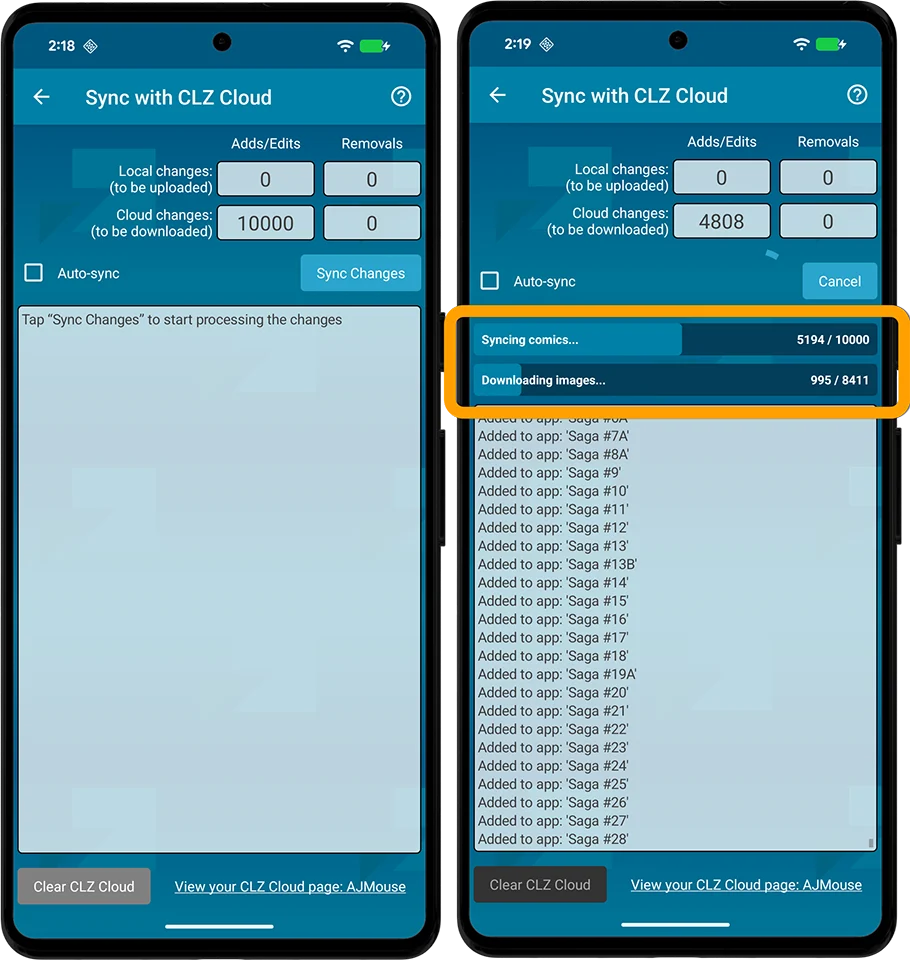
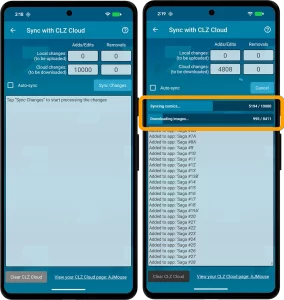 No new features here, but an important improvement to an existing one: the CLZ Cloud syncing. Our mobile developers Pim and Bernard have implemented three changes that will make the down-syncing of new items from the CLZ Cloud to your app a LOT faster!
- The syncing now down-syncs the *data* first, while queuing the *image* downloads. This will make the data sync super fast.
- Downloading the images is much quicker too, especially on fast connections, as it downloads multiple images at the same time.
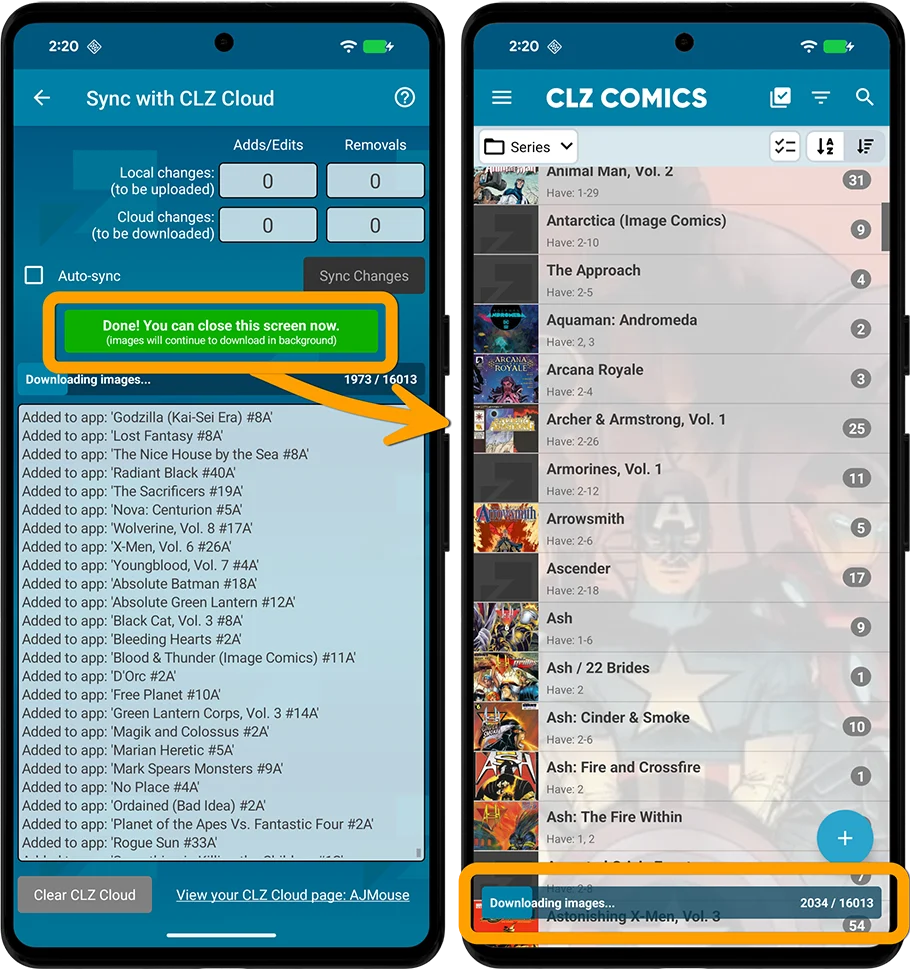
- As soon as the data download has completed, you can close the Sync screen and start using the app. The image downloads will continue at the bottom of the main screen, prioritising images that are “in view”.
The improvement in speed will be most noticeable when re-downloading your complete CLZ Cloud database, e.g.
- After installing the app on a new device
- After removing and re-installing the app
- After Clearing the Database
However, even during normal use, e.g. when syncing between devices, or between the app and the CLZ Web software, you will find the down-syncing to be much faster than before.
 A special update for the slab collectors!
Three years ago, we introduced a new look for slabbed comics, with generated “slab frames” around the cover images, with blue/yellow/green labels at the top the grade at the top left, even showing actual Custom Labels. Making it super easy to spots your slabs between your raw comics.
For several reasons, that feature was only implemented in the Card View and on the comic details pages. Not in List View (we figured it would be too small) and in Images View (technically complex because of the configurable size).
However, our mobile developers Pim and Bernard gave it another try and did make it work this time.
So that’s what’s new in today’s 10.7 update:
The generated slab frames are now visible in List View and Images View too!