What's new in CLZ Games Mobile? 2026

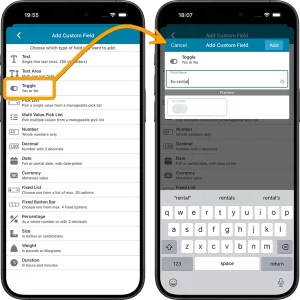
This is it, the big v11.0 update for your CLZ Games app. Version 11 is a huge step forward in the customizability of the app. And I am not talking about tweaking the look and feel here, like layout, colors, fonts, etc… No… this time we are giving you the ability to actually customize the database itself, with your own “Custom Fields“!
The Custom Fields feature will let you create your own data fields, to catalog any information for which the app does not have a built-in field. You can create text fields, number fields, date fields, Yes/No toggles, pick list fields and much more.
All fields you create can be edited on a special Custom Fields tab of the Edit Game screen. The entered data will nicely appear in a special section on the game details page. The Custom Fields are available for your games, hardware and toys. And of course, you will be able to use the fields like any built-in fields, that is, sort on them, use pick list, date and toggle fields as folders, search your text fields, etc..
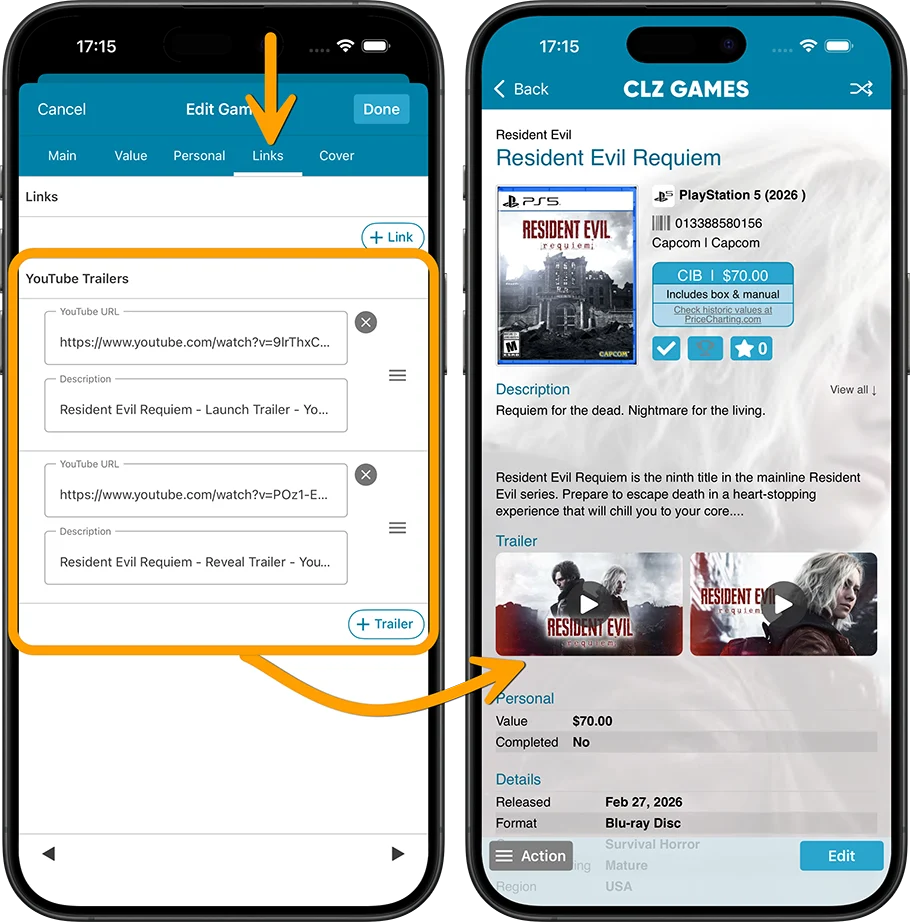
A handy update for CLZ Games! YouTube trailers for games typically come straight from our Core database, but now you can replace the standard Core YouTube trailer with a trailer of your own choice, or add one if we Core didn’t provide one.
Just paste any YouTube URL into your the YouTube trailer link section (Edit Game, then go to the Links tab) and CLZ Gamesautomatically grabs the thumbnail image and video description for you.
Add as many as you like per game, then drag them into your preferred order.
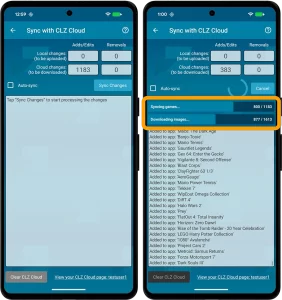 No new features here, but an important improvement to an existing one: the CLZ Cloud syncing. Our mobile developers Pim and Bernard have implemented three changes that will make the down-syncing of new items from the CLZ Cloud to your app a LOT faster!
- The syncing now down-syncs the *data* first, while queuing the *image* downloads. This will make the data sync super fast.
- Downloading the images is much quicker too, especially on fast connections, as it downloads multiple images at the same time.
- As soon as the data download has completed, you can close the Sync screen and start using the app. The image downloads will continue at the bottom of the main screen, prioritising images that are “in view”.